Explore Contract Labels with the Open Labels Initiative in Enscribe

· 2 min read
Abhijeet Bhagat
Enscribe Senior Engineer

One of the core objectives of Enscribe is to make smart contracts safer for users. Our latest feature builds on that objective by connecting Enscribe contract details with the Open Labels Initiative (OLI), a project focused on providing smart contract labels via attestations.

What Is the Open Labels Initiative?

The Open Labels Initiative is a standardized framework and data model for address labeling. Think of OLI as a public bulletin board for contract facts — users can attach signed statements, called attestations, to a contract address. These attestations, also referred to as labels, might indicate different bits and pieces of information such as the Owner Project, Category, Subcategory, etc. Here’s a sample of smart contracts and their labels from labels.growthepie.com:

growthepie

Attestations on OLI are public and verifiable. Anyone can view them, and anyone can contribute new ones enabling community contributions to the initiative. OLI helps surface credible, onchain or offchain information about contracts.

How does this help Enscribe users?

On every Contract Details page in Enscribe, you’ll now see a new section “Contract Attestations”, under this will be a button ‘Label on OLI’ (or ‘Labelled on OLI’).

labelled

In the above image, we see the contract information as usual and the ‘Labelled on OLI’ button since this contract has attestations.

If attestations exist for a contract, clicking the button opens the contract’s attestation page on the OLI website. There, you can review attestations that have been made about the contract such as who made them and time of the attestations.

attestations

If no attestations are present, the same button will now say ‘Label on OLI’:

label

Clicking on the button will take you to the attestation submission form. The contract address and chain is pre-filled, so you just need to add any additional information on the attestation submission form.

form

Enscribe’s mission is to make Ethereum safer for users by making apps more trustworthy and easier to navigate. Open, permissionless labels help build trust in contract usage and protocol adoption. Integrating with OLI means anyone can check a contract’s reputation or contribute to its public profile.

To try it out, visit any contract details page on Enscribe and click the OLI button to either see the attestations or add one using the attestation submission form.

Happy naming! 🚀

Increasing Trust in Smart Contracts with the Contract Deployer Address in Enscribe

· 2 min read
Abhijeet Bhagat
Enscribe Senior Engineer

We're pleased to announce a small but powerful enhancement to Enscribe: the Contract Details page now includes a link to its deployer's address, taking you directly to the deployer’s account page within Enscribe. This feature, while subtle, reinforces our mission to make smart contracts more trustworthy, transparent and traceable.

Contract deployer image

At its core, Enscribe is about increasing trust for users when interacting with smart contracts and making it simple for users to see information about the safety of contracts. It’s not enough to simply display contract metadata — users should also understand where the contract is coming from, which is why we believe ENS names for contracts are so important.

We also believe users should be able to see which account deployed it.

By displaying the deployer address, we provide additional insight into the provenance of a contract. It links the contract back to its deployer, which helps verify authenticity and allows users to view the deployer account details without using block explorers.

Previously, users would have to manually copy the contract address and search for the deployer using a block explorer or a separate tool. With this update, Enscribe removes that friction. Now, you’re just one click away from understanding more about the deployer.

On the Contract Details page, you’ll now see the Contract Deployer field. This contains a hyperlink to either:

  • The deployer’s ENS name, if one exists (e.g., app.enscribe.eth) OR
  • The raw Ethereum address if no ENS is set (e.g., 0xb21170472acc742d2e788904641c9d4c76261a84)

Clicking the link takes you directly to the Enscribe Account Details view for that address. There, you can explore all contracts deployed by the account, their metadata, and any human-readable labels we've indexed.

In addition, thanks to our recent Ethereum Follow Protocol integration you can also see the social graph and profile associated with the account.

Account details

This great new feature is especially helpful for:

  • Users who are interested in tracing contract provenance
  • Developers tracking deployments across testnets and mainnet using ENS names
  • Users verifying that a contract comes from a trusted deployer

This is one of many features we’re rolling out to improve contract legibility on Enscribe.

Happy naming! 🚀

ENS Reverse Registrar Support in Alloy for Rust Developers

· 2 min read
Abhijeet Bhagat
Enscribe Senior Engineer

Foundry and Alloy are foundational tools in the smart contract development stack, and we want smart contract naming to be integrated into all core developer workflows.

Foundry is referred to as the smart contract development toolchain while Alloy, used by Foundry as a dependency, provides a range of functionality for interfacing with any Ethereum-based blockchain.

Before Alloy, there was ethers-rs, which became deprecated in favour of Alloy. It had a small ENS utility crate support that was added in Foundry. The Enscribe team recently migrated this ENS crate over to Alloy from Foundry.

By extending Alloy and Foundry with ENS-focused tools, we're making it easier for developers to use these tools and enabling them to easily name their smart contracts. With the recent merge of PR #2676 in the Alloy codebase, reverse resolution, a critical part of smart contracts naming, just got simpler.

This update introduces support for retrieving the ENS Reverse Registrar address using the ENS Registry. That’s the key contract responsible for mapping an Ethereum hex address back to a name like v0.app.enscribe.xyz.

Why Reverse Resolution Matters

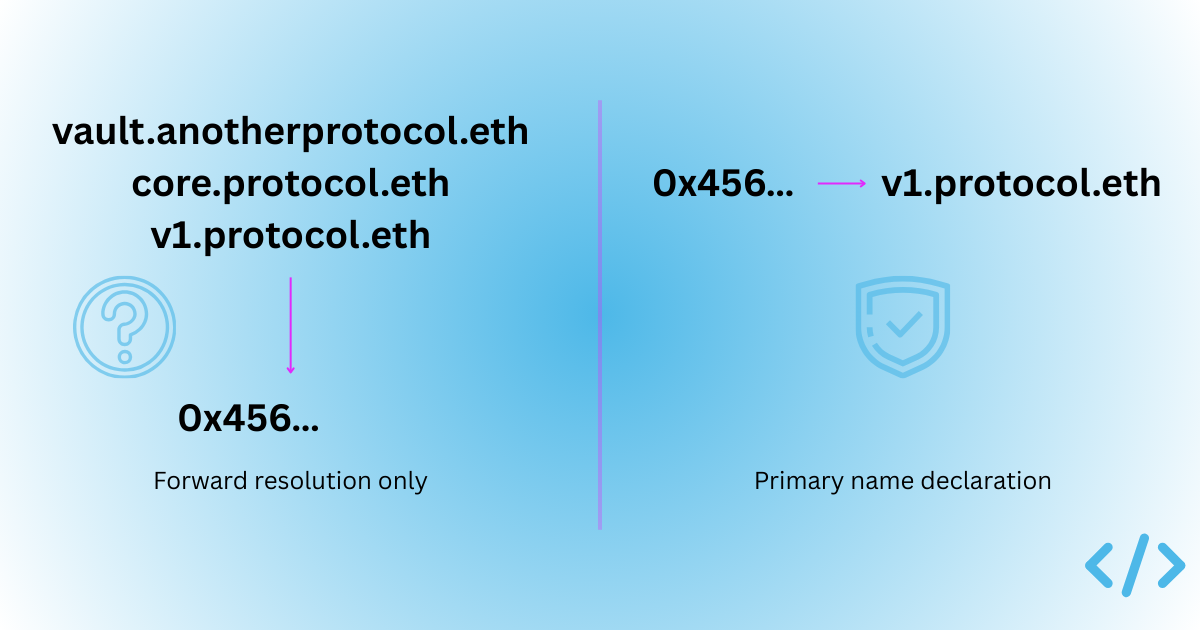
Forward resolution (e.g., alice.eth → 0xabc...) is familiar. But reverse resolution (0xabc... → alice.eth) is what allows user-interfaces to show names instead of raw addresses.

Under the hood, reverse resolution works by:

  • namehashing the address (as addr.reverse),
  • querying the ENS registry for the resolver, and then
  • calling name(node) on the resolver.

This PR makes that logic easily accessible via the EnsRegistry::owner method, allowing you to fetch the reverse registrar address directly using the ENS registry..

Simple Integration

With this change, any Alloy-based app or library can now perform Reverse Registrar discovery. Here’s the high-level call pattern in Rust:

let provider = ProviderBuilder::new()
.connect_http("https://reth-ethereum.ithaca.xyz/rpc".parse().unwrap());

let rr = provider.get_reverse_registrar().await?;
assert_eq!(rr.address(), address!("0xa58E81fe9b61B5c3fE2AFD33CF304c454AbFc7Cb"));

Once you have that address, you can construct a ReverseRegistrarInstance and query names from addresses or just interact with the ReverseRegistrar contract however you like.

On the Road to Contract Naming Support in Foundry

This PR is a small but crucial step toward full ENS tooling support in the Alloy and Foundry ecosystem. By baking in access to one of the core ENS smart contracts like the Reverse Registrar, we make it one step closer to naming your smart contracts with Foundry.

Happy naming! 🚀

Ethereum Follow Protocol (EFP) Support in Enscribe

· 3 min read
Conor Svensson
Founder of Enscribe and Web3 Labs

The Enscribe team is committed to finding value adding integrations for our users. We’re pleased to announce our latest significant integrations to the Enscribe app — support for the Ethereum Follow Protocol (EFP).

Enscribe and EFP partnership image

The Ethereum Follow Protocol (EFP) is a decentralized social graph protocol built on the Ethereum blockchain. 🤝

With its support in Enscribe, whenever you search for an account, for instance, vitalik.eth, you’ll now see their follower and following counts directly in the Account Details view.

vitalik.eth EFP profile

You’ll also see EFP badges where available, along with links to their connected profiles on Farcaster, Lens, and other social platforms.

This gives every ENS-powered profile in Enscribe a richer, more human feel, and helps builders and users quickly understand how an account fits into the social graph of Ethereum.

The information is still supported by data about the ENS names associated with the account, so you now get the best of the ENS app and EFP in one place using Enscribe!

vitalik.eth Enscribe profile

Why it matters

Ethereum’s social layer is growing fast. But most wallets and explorers still treat onchain identities as flat and contextless. Enscribe already helps solve that by showing verified contract data and ENS names, rather than raw hex addresses.

Now with EFP, we go a step further with support for accounts, connecting the ENS names you see with meaningful signals of reputation and relationships.

You can now:

  • See at a glance if an account is widely followed or active in the EFP ecosystem
  • Discover who’s connected to who, all within the Enscribe UI
  • Build trust faster when evaluating Ethereum addresses or ENS names

It’s a lightweight but powerful addition to the way we browse onchain identities.

What is EFP?

EFP is an open, composable protocol for following Ethereum accounts. You can follow an ENS name, and see who they follow back, all onchain. It’s designed to be interoperable with wallets, dapps, and any app that wants to make identity portable and human-readable.

We believe this fits naturally with Enscribe’s mission to bring better UX, context, and trust to contract interactions.

What’s next

With the EFP integration, we are surfacing useful account information for our users. With Enscribe’s mission to make smart contracts safer for users, it was important to find complementary teams focussed on providing similar services for accounts. This is why the EFP integration is so powerful.

In the coming weeks, we’ll be announcing some great new features for smart contracts, which help make services safer for users.

Until then, try it out by searching any account at app.enscribe.xyz. ENS names just got more social.

Happy naming! 🚀

Share the Love and Claim an Exclusive POAP as an Early User of Enscribe!

· 2 min read
Abhijeet Bhagat
Enscribe Senior Engineer

We believe naming a smart contract is vital for improving the UX and security for users of Ethereum apps.

At Enscribe, to reward our early users, we’ve created our first POAP drop! Now, every time you successfully name a smart contract using Enscribe, you can mint an exclusive, limited-edition POAP to show you’re one of the early namers of smart contracts.

Here’s a video tutorial demonstrating how you can claim your POAP:

You can also easily announce your contract name on X and Farcaster via our brand new sharing buttons.

POAPs are unique, verifiable badges that live onchain, just like the contracts you’re naming. Now, each naming via Enscribe can be marked with a minted POAP, serving as both a personal achievement and a public badge of your contributions to the Ethereum ecosystem.

But hurry, this POAP drop is limited and won’t be available forever.

To access the POAP, head to the contract naming page in the Enscribe App.

Dialog

Once you complete the naming process for a contract on Enscribe, you’ll see the completion dialogue showing details such as the transactions performed, contract address, ENS name and our new buttons!

Simply click the Claim my POAP to mint your POAP. This will take you to the POAP App where you can mint the POAP by putting your email address or Ethereum address for free.

Poap

If you fancy sharing that you named your contract using Enscribe App on X or Farcaster, that would be massively appreciated too. We need our users to spread our message throughout the Ethereum ecosystem.

In the meantime, head to the Enscribe App to name your contract and claim your POAP to show you were there in the beginning!

Happy naming 🚀.

Quickly Find Your ENS Names in the My Account View

· 2 min read
Abhijeet Bhagat
Enscribe Senior Engineer

In Enscribe, we want to improve and simplify the user experience for contract naming. That includes how users view the ENS names associated with their own wallets.

We’ve introduced a great new update to the Enscribe app: the My Account view, accessible directly from the left-hand navigation menu. With this feature, users can now easily see the ENS names linked to their wallet address in a single click, without having to search manually.

DetailedView

Previously, if you wanted to check which ENS names your wallet address owned—or what contracts had been named using your account—you had to:

  • Manually copy your wallet address
  • Paste it into the Enscribe search bar
  • Click the result to open your wallet address view

Now, that entire flow has been replaced by a simple, direct entry point: My Account menu option.

FullView

With this you can quickly see which ENS names your account owns as well as any associated ENS names:

  1. Open the Enscribe app
  2. Log in to your wallet and select a chain
  3. Find My Account in the left-hand navigation bar
  4. Click to view all the ENS names associated with the wallet data

You no longer need to copy and paste your address in the Search bar, just click on My Account and it automatically all your associated ENS names based on the connected address and active chain.

Head over to https://app.enscribe.xyz to easily see which ENS names your wallet address owns!

Happy naming 🚀.

Explore Accounts, Contracts and ENS Names Across Multiple Chains

· 5 min read
Nischal Sharma
Co-Founder and Lead Engineer at Enscribe

We've updated Enscribe to make contract exploration clear and useful across multiple networks. This update focuses on direct sharing links, multi-chain support, and better ENS integration to help you identify and trust smart contracts.

What's New

This update adds several improvements to the Enscribe platform:

  • Universal Search - Search for any address (EOA or contract) or ENS name without connecting your wallet first
  • Cross-Chain Exploration - View smart contracts and accounts on Ethereum, Linea, and Base networks
  • Contract Verification Display - See verification status from Sourcify, Etherscan, and Blockscout at a glance
  • ENS Details - Clear visibility of all associated and owned ENS names with expiry status
  • Shareable URLs - Direct links to any address on any supported chain

The updated search bar lets you look up any Ethereum address or ENS name without connecting your wallet first. Just paste a 0x address or type an ENS name, and Enscribe immediately shows you the relevant details.

Universal Search Bar

The search works with:

  • Standard Ethereum addresses (0x...)
  • ENS names
  • Automatic detection of which chain to use

The ENS resolution works correctly across different networks, using mainnet resolvers for production chains and Sepolia for test networks, then directing you to the right page based on chain context.

The Explore Page

Our new Explore page serves as a central hub for getting ENS details for any address onchain. It detects whether you're looking at a smart contract or a regular account (EOA) and shows you specific information that matters for each type.

You can directly access any address using this URL format:

https://app.enscribe.xyz/explore/<chainId>/<address>

This standardized URL structure makes addresses easy to bookmark and share with others, allowing for collaborative exploration of the Ethereum ecosystem.

Contract Details View

When viewing a contract, the display includes:

  • The contract's primary ENS name (if registered) with color-coded expiry status icons:
    • Green checkmark: Valid registration (more than 3 months until expiry)
    • Yellow exclamation: Expiring soon (within 3 months)
    • Red X: Expired (in grace period)
  • Verification status across multiple sources (Sourcify, Etherscan, Blockscout)
  • Direct links to view verified source code
  • If not verified, user can select "Verify" button to verify the contract on respective platform
  • All ENS names associated with this contract address
  • ENS names owned or managed by this contract with expiration status
  • Copy buttons for addresses and names with visual confirmation

Contract Details View

This clear layout helps developers quickly confirm contract identity and trustworthiness without navigating between multiple tools.

Account Details View

For regular accounts (EOAs), the page shows:

  • Primary ENS name (if available) with appropriate expiry status icon similar to contract view
  • All associated ENS names pointing to this address
  • ENS names owned or managed by this address with expiry information
  • Copy functionality for addresses and names

Account Details View

Both account and contract views include external links — addresses link to Etherscan while ENS names link to the ENS app. When you click on an ENS name that a contract or account owns, Enscribe resolves it to an address and opens that address in a new tab within Enscribe.

The ENS name resolution for owned names:

  • Opens resolved addresses in a new tab for convenient exploration
  • Shows toast notifications for failed resolutions

Smart Chain Selector

The chain selector helps you navigate between networks while examining an address. It sits at the top of the interface and changes how it works based on whether your wallet is connected.

When No Wallet is Connected:

Chain Selector - wallet disconnected

  • Choose any supported chain from the dropdown
  • Switch networks to compare the same address across chains
  • All data loads specifically for the selected network

When a Wallet is Connected:

Wallet Connected

  • Chain selector automatically syncs with your connected wallet's network
  • When switching chains on wallet, you'll be redirected to view the same address on the newly selected chain

Network Support

Enscribe supports multiple chains:

  • Ethereum Mainnet
  • Ethereum Sepolia
  • Linea Mainnet (with .linea.eth domains)
  • Linea Sepolia (with .linea-sepolia.eth domains)
  • Base Mainnet (with .base.eth domains)
  • Base Sepolia - Partial support (working with ENS node Namehash team for full integration)

This design handles the specific requirements of each chain, including ENS resolution differences and verification source availability. When you switch chains, the URL updates with the new chain ID, creating direct links to the same address across different networks.

Looking Forward

This update makes Enscribe a more useful tool for everyone who works with smart contracts. It creates clarity around contract identity and verification status across multiple networks.

Our upcoming development priorities include:

  • Support for Base Sepolia
  • Integration with Ethereum Follow Protocol
  • Enhanced ENS management tools and details

Try It Today

We're incredibly excited to share these new capabilities with our community. Checkout all these features today by visiting Enscribe App.

We build based on community feedback. Share your thoughts and suggestions in our Discord community or Telegram, or follow updates on Twitter/X.

Happy naming! 🚀

Easily Find Your ENS Names for Naming Smart Contracts

· 2 min read
Nischal Sharma
Co-Founder and Lead Engineer at Enscribe

We've rolled out a great new feature in Enscribe — the ability to easily choose your owned or managed ENS domains when deploying or naming smart contracts. This makes it straightforward to find the right ENS parent name you want to name your contract with.

Thanks to the integration with ENS Subgraph , Enscribe can now fetch all ENS names that your connected wallet owns or manages and show them to you.

How It Works

When a user connects their wallet, Enscribe queries the ENS subgraph and retrieves a complete list of ENS domains owned or managed by that wallet. These names are then:

  • Grouped by second-level domain (2LD)
  • Sorted alphabetically
  • Displayed in a modal

Demo

Check out the below video to see it in action:

Demo Video

Here’s how it looks in Enscribe:

Dropdown view inside Deploy form:

Dropdown Field

Choosing ENS Parent (modal):

ENS Domain Picker

Deploy Contract Form with ENS selection:

Deploy Form

Why It Matters

Before this update, users had to remember and manually type their ENS parent name — introducing user error.

This feature is currently supported on:

  • Ethereum Mainnet & Sepolia — via the official ENS subgraph
  • Linea Mainnet & Linea Sepolia — via ENS Linea subgraph
  • Base Mainnet — via ENS Node by namehash

Note: Support for Base Sepolia testnet is pending because no ENS subgraph exists yet. We're actively working with Namehash to add support — see GitHub issue #768.

Try It Out

Visit enscribe.xyz and try the new ENS parent selection workflow in both the Deploy and Name Contract flows. Let us know what you think — your feedback helps us shape a smoother, safer, and more trusted smart contract experience.

We'd love to hear your feedback on this feature — join our Discord community or Telegram communities and let’s eliminate hex smart contract addresses for users.

Happy naming! 🚀

Be like Heroku – Introducing Auto-Generated ENS Names for Your Smart Contracts in Enscribe

· 3 min read
Abhijeet Bhagat
Enscribe Senior Engineer

At Enscribe, our mission is to make naming smart contracts with ENS as easy as possible.

Giving your contracts clear ENS names like alpha-vault.mainnet.eth or governance-proxy-123.mainnet.eth makes things easier to follow and remember.

However, there are times where you may want to do the naming yourself. Especially when you’re in the earlier phases of development. When you're deploying a bunch of contracts, the last thing you want is to pause and think of a unique name for each one.

That’s why we’ve added a fun new feature where Enscribe suggests a unique name for your smart contract for you.

Why Auto-Generated Names?

Some of the older team members remember the first time they used Heroku to deploy web applications (remember them?). In Heroku, once your web application was live, it would give you a randomly generated DNS name for your app.

For the nostalgic among us, we thought it would be fun to do this in Enscribe!

Of course a lot has changed since Heroku, especially in today’s world of generative AI, which we could have used for name generation. However, we like the simplicity of mirroring the Heroku approach. After all, we’re here to simplify naming smart contracts for our users, and this fits nicely with that goal.

With our new auto name generation feature, Enscribe can create ENS-compatible names for your contracts on the fly. These names are:

  • Unique (per deployment context)
  • Memorable (generated from a curated dictionary of words)
  • Compliant with ENS standards
  • Directly assignable in one click during contract deployment or naming an already deployed contract

Best of all, you don’t even need an ENS name of your own to name your contract. If you don’t have one, Enscribe can name your contract with a unique name under deploy.eth on Ethereum, Base (deployd.base.eth) or Linea (deployd.linea.eth)!

How It Works

On the Deploy Contract page, you’ll now see that a name has been auto-generated for your contract.

Label

Next to it, you have a refresh button which you can use to generate a new name. Alternatively, you can simply put your own one in there.

Deploy_contract

If you do click on the name generation button it will propose a name such as:

  • arrogant-baseball-6055
  • weekly-heart-7993
  • linear-garden-3758

You can then assign this name to your deployed contract immediately.

We’ve also enabled this feature on the Name Contract page so that you can set a name for your deployed contract.

Name_contract

Don’t Know What to Call It? Let Enscribe Help

Whilst this is a small new feature, we believe it's important that we make it as easy as possible for our users to name their contracts. This now extends to supporting them with generating names and providing an ENS name if they don’t have one already.

You can try out the name generator by heading to the Enscribe App.

We'd love to hear your feedback on this feature — join our Discord community or Telegram communities and let’s eliminate hex smart contract addresses for users.

Happy naming! 🚀

Beyond Naming Smart Contracts

· 3 min read
Conor Svensson
Founder of Enscribe and Web3 Labs

What's Next After Naming Smart Contracts?

Over the past few months, we've been working hard to make it as easy as possible for developers to name their smart contracts using ENS. With support now live on Ethereum, Base, and Linea, we're starting to see steady adoption through the Enscribe app. But naming is just the first step in improving Ethereum's user experience.

Trust Through Transparency: Contract Verification

Once developers start giving their smart contracts ENS names, the next logical move is to help users assess how trustworthy a contract is. Our first focus here is verification.

We're surfacing contract verification data directly in the Enscribe app by pulling it from trusted sources like:

These verifications don't guarantee a contract is safe — after all, anyone can verify code—but they do indicate a baseline level of developer diligence. They also enable wallets and explorers to decode method signatures and provide users with more context about their transactions.

My Contracts view in Enscribe App

We've launched our initial support for verifications already. Here's a quick overview of the release, and you can see it live in the Enscribe App's "My Contracts" view.

On the Horizon: Audit Support

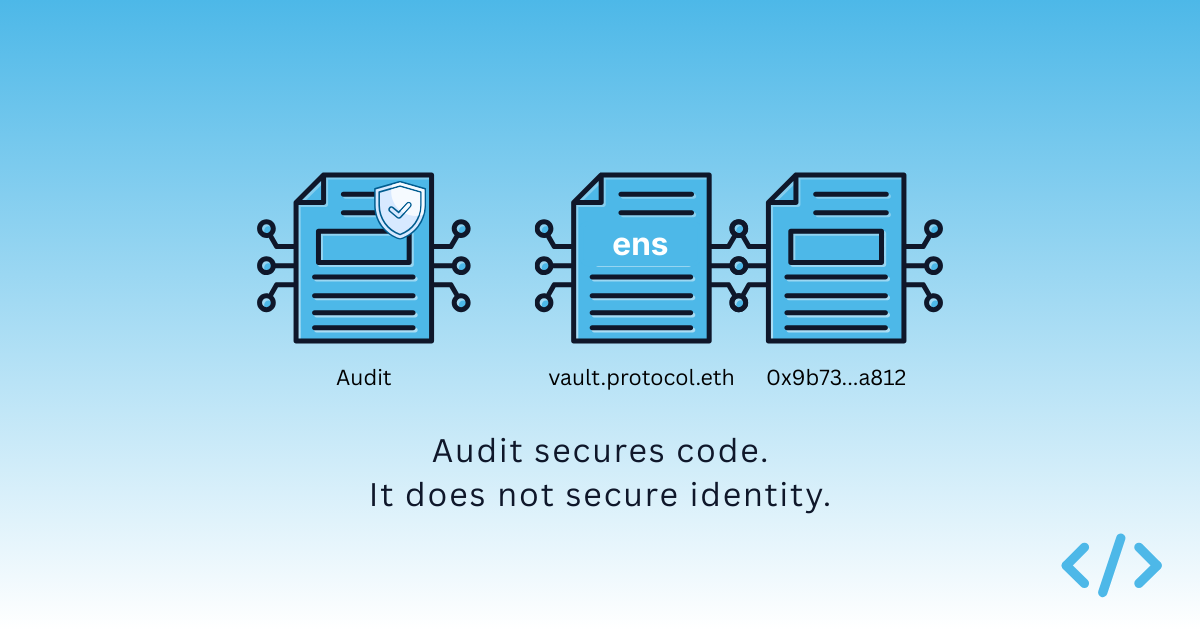
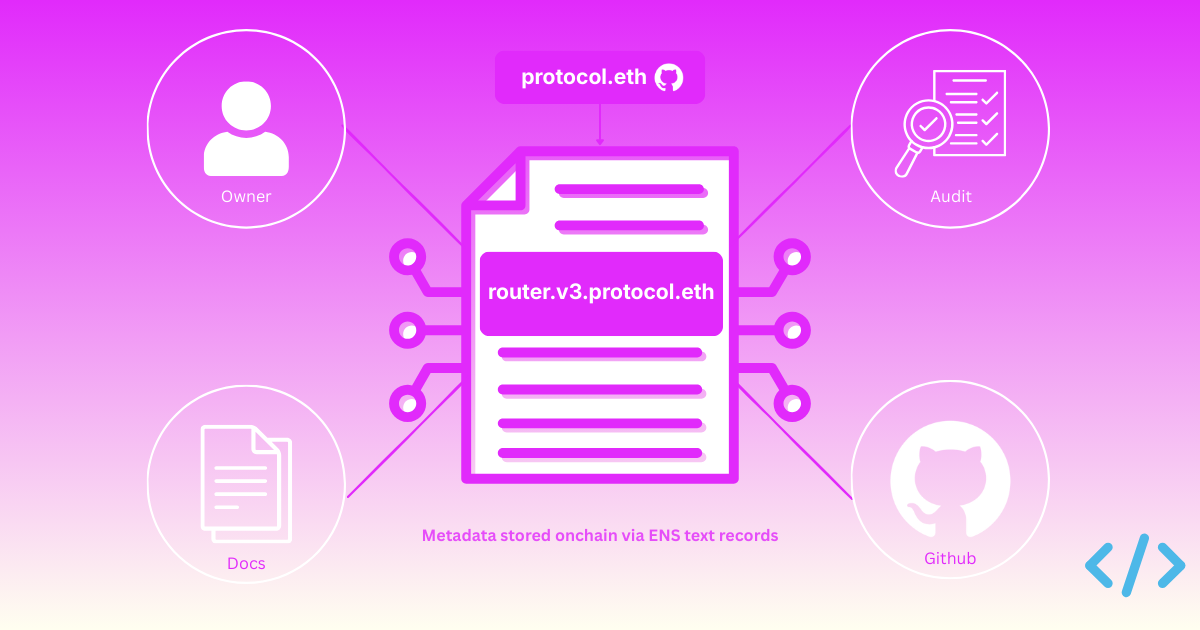
We're also turning our attention to audits. Smart contract audits are a key signal of trust, but surfacing audit data in a decentralised and verifiable way is still an open problem.

We're exploring how Enscribe can support this through:

  • Structured attestations for on-chain audit claims (e.g. EIP-7512)
  • Aggregation of verification and audit signals into a public API
  • Visual indicators in the Enscribe UI to make trust cues clearer

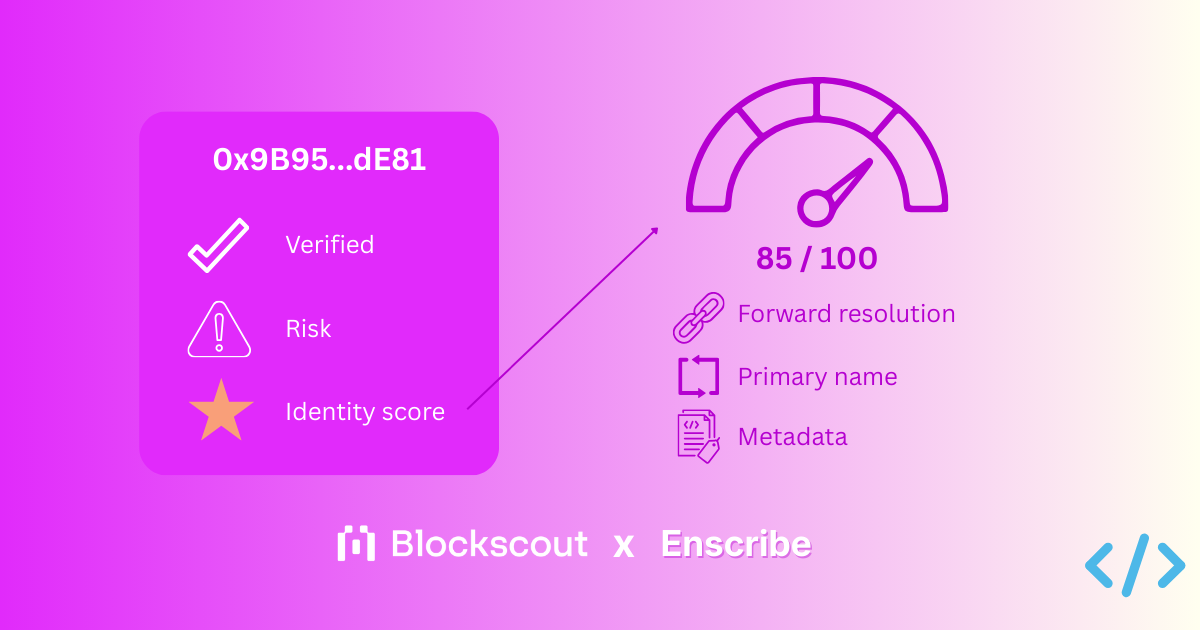
Imagine something like a TLS padlock for Web3 — a visual cue that gives users confidence they’re interacting with a verified, trustworthy contract, performed in a way that doesn’t require trusting any single service provider, including ourselves.

TLS padlock for enscribe.xyz site

A Trust Score for Contracts?

We're thinking through what a decentralized trust framework might look like. Some early metrics we're exploring include:

  1. ENS name assigned (via Enscribe or manually)
  2. Contract verified (Sourcify, Etherscan, Blockscout)
  3. Audits available (verifiable, on-chain attestations)

What else should be on that list? We're keen to hear your suggestions.

Beyond Devtool Integrations

You may have seen our recent updates on ecosystem calls with ENS DAO—we're making great progress toward integrating Enscribe directly into dev workflows (like Foundry). This will let developers name contracts automatically at deploy time, with zero extra steps.

But we're not stopping there.

We know many developers will continue using the Enscribe app directly to name existing contracts. So we're investing heavily in improving that experience too. Our aim is to reduce friction even further and make it delightful to manage your named contracts with Enscribe.

We'll be sharing more UX improvements and feature ideas very soon. In the meantime, if you're using Enscribe and have thoughts on what would make your experience better, drop into our Discord or tag us @enscribe_ on X.

We're just getting started.

In the meantime, keep naming those contracts!