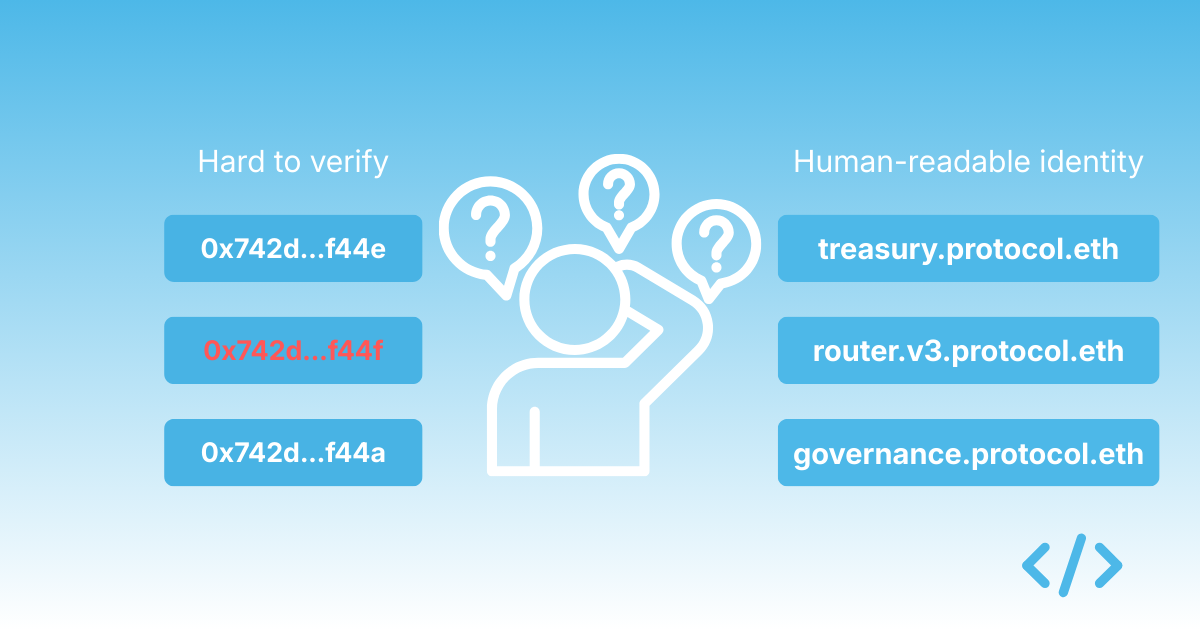
With Enscribe, our mission has always been simple yet ambitious — to eliminate hex contract addresses from the Ethereum user experience. Hex strings like 0x123abc… are cryptic, intimidating and unfriendly to users.
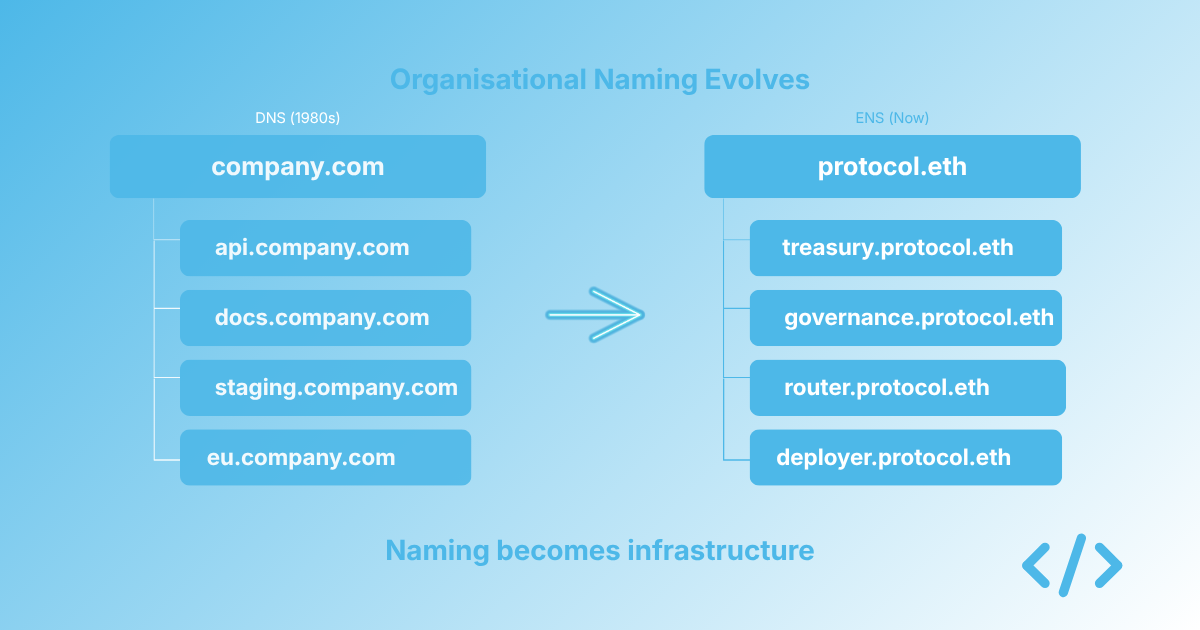
ENS transforms these meaningless identifiers into human-readable names like vitalik.eth just like DNS resolves domain names on the internet to IP addresses.
With our latest update, we’re eliminating these annoying hex addresses from URLs, further enhancing Enscribe’s UX.
A Friendlier Way to Explore Contracts and Accounts
Previously, if you wanted to explore details about an account or contract on Enscribe, you had to navigate using its hexadecimal address:
Whether it’s an EOA (Externally Owned Account) or a smart contract, Enscribe will resolve the ENS name and fetch its details.
This doesn’t just work for the mainnet. Thanks to the support for resolving names on Layer 2 chains, we can also use a Layer 2 chain-id and the name with it, such as
Ethereum’s UX still leans heavily on raw addresses, making the ecosystem less approachable for everyday users. Our goal at Enscribe is to flip that narrative, to make names the default, and hex addresses optional. By supporting ENS names everywhere we display or consume on-chain data, we’re moving toward an Ethereum experience that’s:
Human-friendly → Users interact with alice.eth, not 0x4b2...9f7.
Consistent → Works across EOAs and contracts alike.
Aligned with ENS adoption → Encouraging the ecosystem to name their contracts and improve discoverability.
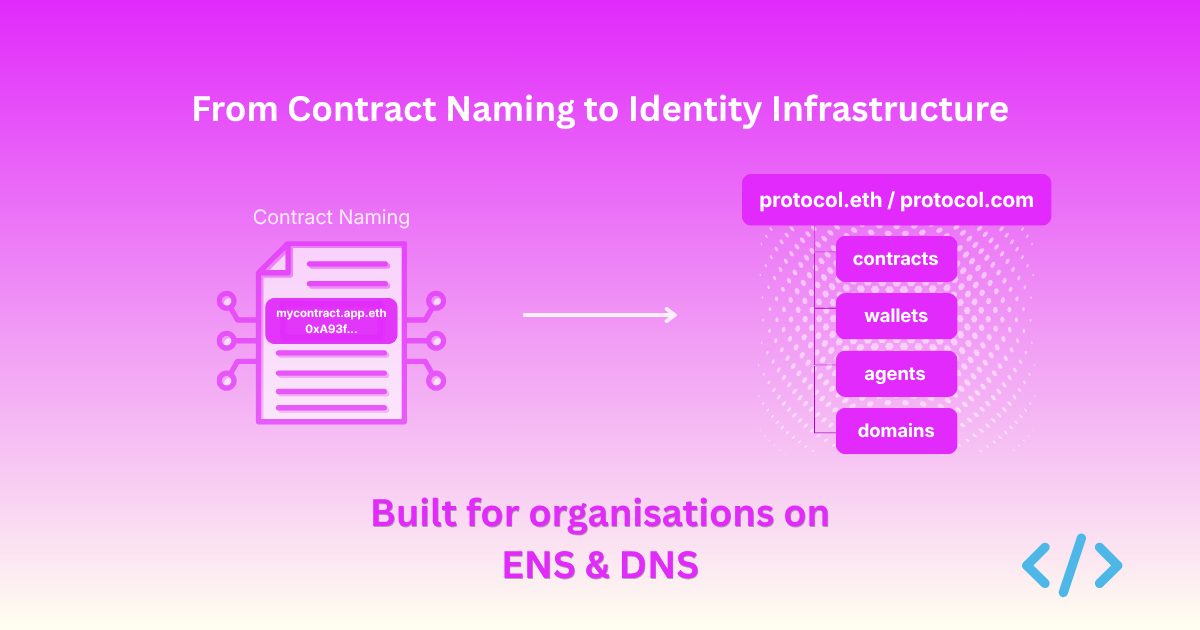
Enscribe isn’t just about contract naming — we’re helping reshape Ethereum’s UX around names, not hex.
You can try it out now in the Enscribe app, check out vitalik.eth at
With Enscribe, we’re always looking for ways to make viewing smart contracts details simpler and safer for users. Our latest update to the Contract Details page introduces two subtle yet impactful changes designed to improve clarity and usability for our users.
When looking at contract information, it can be a little overwhelming when trying to identify what the primary name of the contract is. To simplify this, we’ve introduced a blue tick next to primary contract names.
Now, when you view the Contract Details page for a particular contract, you can easily see if a primary name is set for the contract.
We’ve also shown a tooltip that tells you you are looking at a primary name:
For contracts that have no primary name set but do have at least one forward resolution name set, we now also show that name:
However, to make sure that we differentiate between primary and forward resolution names, we show the usual cautionary warning sign as well as explain it in the tooltip:
Contracts without names can make browsing blockchain data cumbersome. That’s why we’ve added the Name It! button next to contract addresses that:
Don’t yet have a primary name set, or
Have at least one forward resolution name available.
Here’s a proxy contract that has no name set:
Here’s a contract that doesn’t have a primary name set but has a forward resolution name set:
Clicking the button takes you straight to the Name Contract page on Enscribe, with the contract address pre-filled. This saves you time, reduces manual input and ensures you can seamlessly add meaningful, human-readable names to your contracts.
By making it easier to name your contracts, we’re helping you keep your on-chain activity clear and structured.
With these enhancements, we’re continuing our mission to make on-chain data more accessible and user-friendly. Whether you’re a developer, an ENS enthusiast, or just someone managing multiple contracts for a project, these updates simplify contract name identification and improve overall interaction experience on Enscribe
Go check your contract on the Contract Details page today and let us know what you think about them on our X/Telegram/Discord channels.
L2 primary names solve a fundamental problem in the multi-chain Ethereum ecosystem. A single DApp can have different contract addresses across various Layer 2 networks, or sometimes the same address (often due to CREATE2 deployments). Without a standard way to name them, users and developers must manage a confusing list of addresses.
According to ENSIP-19, L2 primary names enable reverse and primary name resolution for all coin types across the multichain Ethereum ecosystem. This standardizes how ENS names resolve to different addresses based on the network, making the ecosystem more legible and trustworthy. This works regardless whether the contract's address is the same or different across networks.
This is possible through a coinType parameter in the ENS resolver function addr(bytes32 node, uint256 coinType), which specifies the network. A single ENS name like mycontract.eth can be configured to point to the correct contract address on each chain.
Enscribe supports L2 primary names across five Layer 2 networks:
Optimism (Mainnet & Sepolia)
Arbitrum (Mainnet & Sepolia)
Scroll (Mainnet & Sepolia)
Base (Mainnet & Sepolia)
Linea (Mainnet & Sepolia)
The feature works in two directions. Forward resolution means your ENS name resolves to the correct contract address on each L2. Reverse resolution means your contract address resolves back to your ENS name on each L2.
Example: If you set up myname.eth → 0x123... on Ethereum and Base:
Forward Resolution:
Ethereum: Coin type 60 (0x3c) - myname.eth resolves to 0x123...
Base: Coin type 2147483653 (0x80002105) - myname.eth resolves to 0x123...
Reverse Resolution:
Ethereum: 0x123...addr.reverse - resolves back to myname.eth
Base: 0x123...80014a34.reverse - resolves back to myname.eth
Note: L2 primary names for Linea and Base are different from currently supported .linea.eth and .base.eth names. L2 primary names work through ENSIP-19 coin types, while .linea.eth and .base.eth are separate ENS domains.
You must set up L2 primary names from an L1 chain (Ethereum mainnet or Sepolia). This process cannot be done by connecting directly to an L2 network.
The reason is that the core ENS infrastructure, which manage name registration and resolution rules, reside on L1. Key actions, like creating subnames and configuring them to point to different addresses on various L2s—must be recorded on these foundational L1 contracts to ensure a single, authoritative source of truth.
Enscribe supports three main scenarios for setting up L2 primary names:
L1 + L2 Naming: Set primary names on both L1 and selected L2 chains when your contract has the same address across all networks
L2 Only Naming: Skip L1 naming and set primary names only on specific L2 chains
Multi-Address Naming: Use the same ENS name for different contract addresses on different L2 chains
If you want to set up primary names only on specific L2 chains without L1 naming:
Follow steps 1-3 from Case 1
Enable "Skip L1 Naming" to skip L1 forward and reverse resolution
Submit to execute only L2-related steps
Case 3: Different Contract Addresses on Different L2 Chains
If you deployed the same contract on different L2 chains but it has different contract addresses, you can use the same ENS name as the primary name for all chains.
Use the same name label and ENS parent, then:
Enter the first contract address and select its corresponding L2 chain
Enable "Skip L1 Naming" to focus only on L2 naming
Execute the naming process
Repeat for each different contract address on different L2 chains
Don't worry — it won't create a subname every time on L1. The subname creation happens only once, and subsequent operations just set up the L2 primary names.
Note: The default Enscribe parent domain, deployd.eth, is not yet compatible with L2 primary names. For now, please use your own ENS domain as the parent.
We will resolve this issue in our next release, which will involve redeploying the Enscribe contract.
Contract deployers get a unified identity for their contracts across all chains. Users can interact with your contract using the same name regardless of which chain they're on, eliminating the need to explain different addresses for the same contract.
Users benefit from simplified interactions — they can use the same ENS name to interact with contracts across chains. This reduces errors from sending transactions to wrong addresses and makes it easier to find and verify contract addresses.
The broader ecosystem sees improved interoperability as cross-chain contract interactions work smoothly. Enhanced security comes from reduced risk of address confusion, leading to a more intuitive multi-chain experience.
Ready to give your contracts a unified identity across the Ethereum ecosystem? Visit app.enscribe.xyz, connect your wallet to Ethereum mainnet or Sepolia, navigate to "Name Contract", enter your contract details, select your desired L2 chains, and execute the naming process.
We want to hear your experience with L2 primary names. Share your thoughts, suggestions, and any issues you encounter through our Discord community, Telegram, or Twitter/X.
L2 primary names help make the multi-chain Ethereum ecosystem more legible and trustworthy. We're excited to see how this feature helps developers and users navigate the onchain landscape more effectively.
We’re excited to announce that Safe smart account wallet support is now live in Enscribe. Whilst Enscribe already has support for commonly used wallets like Metamask and Coinbase, Safe was not fully compatible..
This update enables deploying a new contract and setting an ENS name for it or naming an existing contract with your Safe wallet with full control over transaction approval and execution.
Safe is commonly used as a multi-signature wallet in the Ethereum ecosystem. A Safe wallet account can have multiple Ethereum accounts configured as signers behind it. When a transaction is to be approved and executed, all signers must sign & execute that transaction.
This process can happen asynchronously without waiting for approvals from all the signers. This is unlike executing transactions with a wallet like Metamask where every transaction request will block until it is either approved or rejected.
It’s ideal for workflows where transparency and decentralized control are required.
Deploy new contracts with ENS names set using your Safe wallet.
Name existing contracts with ENS names from your Safe address.
Supporting Safe required a different approach from the typical MetaMask-style interactions, where each transaction prompts a popup that demands immediate attention. With Safe, Enscribe queues transactions, so they can be approved via the Safe App.
Connecting to a Safe wallet is slightly different from connecting to Metamask or Coinbaser wallet. To connect to your Safe wallet, click on the Connect button on the top right corner on Enscribe:
On the Connect a Wallet popup, select WalletConnect
Now click on the OPEN button to open the WalletConnect modal
Click on Copy link and go to your Safe wallet app. Click on the WalletConnect icon on the top bar
Now paste the copied link in the Pairing code field in the popup
You should now see Enscribe as connected app
Once connected, you’ll see your Safe wallet account shown as connected in Enscribe as well as in the Safe App.
With Safe wallet, our naming-related transactions are sent to the Safe wallet queue without waiting for them to complete. This is because Safe wallet intercepts our Enscribe transactions & executes them in its own multisig transactions. Therefore, Enscribe doesn’t have knowledge of these transactions whilst pending.
Enscribe differentiates between a Safe wallet and a wallet like Metamask and will modify the behavior of waiting for transactions to complete accordingly. This is how pending transactions look like in the Safe wallet:
On executing the above pending transaction to set the primary name of a contract, we can see the contract details in Enscribe:
We can also rename the contract we just deployed. Let’s say we rename it to safewallet13.testapp.eth. Like before, two transactions - setting forward resolution and setting reverse resolution - will be kicked off in the Safe wallet app:
And we see two transactions in the Safe wallet app that we can bulk execute:
We see our contract now has a new name:
Having full support for Safe ensures that teams protecting key contracts with a multisig can properly name their contracts with Enscribe.
If you have Safe controlled contracts you wish to name, you can try naming your contracts with Safe wallet at app.enscribe.xyz!
At Enscribe, we're dedicated to improving the onchain experience for users. One part of this is by making smart contract addresses more human-readable and user-friendly by simplifying contract naming with ENS.
While making the experience more user-friendly, we also want to improve the UI/UX of the Enscribe platform. In line with this commitment, we're excited to announce a key enhancement: Enscribe now fully supports a dark mode theme!
You can find the theme toggle button in the top right corner of the Enscribe application. The white sun icon indicates the light theme, and the dark moon icon activates the new dark theme.
Every screen within Enscribe now adapts to dark mode, designed with carefully chosen color contrasts for optimal readability. This ensures a consistent and comfortable visual experience across the entire application, whether you're deploying a new contract or reviewing your existing ones.
Deploy a new smart contract with primary name
Name an existing smart contract
Transaction loading state
Successful contract naming modal
View account details along with Ethereum Follow Protocol card
Detailed contract information view
Browse your deployed named and unnamed contracts
We've ensured that key workflows, from deploying new contracts and naming existing ones to viewing your account details and managing your contracts, are all optimized for the new dark theme. The improved contrast aims to make your interactions with Enscribe smoother and less straining on the eyes.
One of the core objectives of Enscribe is to make smart contracts safer for users. Our latest feature builds on that objective by connecting Enscribe contract details with the Open Labels Initiative (OLI), a project focused on providing smart contract labels via attestations.
The Open Labels Initiative is a standardized framework and data model for address labeling. Think of OLI as a public bulletin board for contract facts — users can attach signed statements, called attestations, to a contract address. These attestations, also referred to as labels, might indicate different bits and pieces of information such as the Owner Project, Category, Subcategory, etc. Here’s a sample of smart contracts and their labels from labels.growthepie.com:
Attestations on OLI are public and verifiable. Anyone can view them, and anyone can contribute new ones enabling community contributions to the initiative. OLI helps surface credible, onchain or offchain information about contracts.
On every Contract Details page in Enscribe, you’ll now see a new section “Contract Attestations”, under this will be a button ‘Label on OLI’ (or ‘Labelled on OLI’).
In the above image, we see the contract information as usual and the ‘Labelled on OLI’ button since this contract has attestations.
If attestations exist for a contract, clicking the button opens the contract’s attestation page on the OLI website. There, you can review attestations that have been made about the contract such as who made them and time of the attestations.
If no attestations are present, the same button will now say ‘Label on OLI’:
Clicking on the button will take you to the attestation submission form. The contract address and chain is pre-filled, so you just need to add any additional information on the attestation submission form.
Enscribe’s mission is to make Ethereum safer for users by making apps more trustworthy and easier to navigate. Open, permissionless labels help build trust in contract usage and protocol adoption. Integrating with OLI means anyone can check a contract’s reputation or contribute to its public profile.
To try it out, visit any contract details page on Enscribe and click the OLI button to either see the attestations or add one using the attestation submission form.
We're pleased to announce a small but powerful enhancement to Enscribe: the Contract Details page now includes a link to its deployer's address, taking you directly to the deployer’s account page within Enscribe. This feature, while subtle, reinforces our mission to make smart contracts more trustworthy, transparent and traceable.
At its core, Enscribe is about increasing trust for users when interacting with smart contracts and making it simple for users to see information about the safety of contracts. It’s not enough to simply display contract metadata — users should also understand where the contract is coming from, which is why we believe ENS names for contracts are so important.
We also believe users should be able to see which account deployed it.
By displaying the deployer address, we provide additional insight into the provenance of a contract. It links the contract back to its deployer, which helps verify authenticity and allows users to view the deployer account details without using block explorers.
Previously, users would have to manually copy the contract address and search for the deployer using a block explorer or a separate tool. With this update, Enscribe removes that friction. Now, you’re just one click away from understanding more about the deployer.
On the Contract Details page, you’ll now see the Contract Deployer field. This contains a hyperlink to either:
The deployer’s ENS name, if one exists (e.g., app.enscribe.eth) OR
The raw Ethereum address if no ENS is set (e.g., 0xb21170472acc742d2e788904641c9d4c76261a84)
Clicking the link takes you directly to the Enscribe Account Details view for that address. There, you can explore all contracts deployed by the account, their metadata, and any human-readable labels we've indexed.
In addition, thanks to our recent Ethereum Follow Protocol integration you can also see the social graph and profile associated with the account.
This great new feature is especially helpful for:
Users who are interested in tracing contract provenance
Developers tracking deployments across testnets and mainnet using ENS names
Users verifying that a contract comes from a trusted deployer
This is one of many features we’re rolling out to improve contract legibility on Enscribe.
Foundry and Alloy are foundational tools in the smart contract development stack, and we want smart contract naming to be integrated into all core developer workflows.
Foundry is referred to as the smart contract development toolchain while Alloy, used by Foundry as a dependency, provides a range of functionality for interfacing with any Ethereum-based blockchain.
By extending Alloy and Foundry with ENS-focused tools, we're making it easier for developers to use these tools and enabling them to easily name their smart contracts. With the recent merge of PR #2676 in the Alloy codebase, reverse resolution, a critical part of smart contracts naming, just got simpler.
This update introduces support for retrieving the ENS Reverse Registrar address using the ENS Registry. That’s the key contract responsible for mapping an Ethereum hex address back to a name like v0.app.enscribe.xyz.
Forward resolution (e.g., alice.eth → 0xabc...) is familiar. But reverse resolution (0xabc... → alice.eth) is what allows user-interfaces to show names instead of raw addresses.
Under the hood, reverse resolution works by:
namehashing the address (as addr.reverse),
querying the ENS registry for the resolver, and then
calling name(node) on the resolver.
This PR makes that logic easily accessible via the EnsRegistry::owner method, allowing you to fetch the reverse registrar address directly using the ENS registry..
With this change, any Alloy-based app or library can now perform Reverse Registrar discovery. Here’s the high-level call pattern in Rust:
let provider =ProviderBuilder::new() .connect_http("https://reth-ethereum.ithaca.xyz/rpc".parse().unwrap()); let rr = provider.get_reverse_registrar().await?; assert_eq!(rr.address(),address!("0xa58E81fe9b61B5c3fE2AFD33CF304c454AbFc7Cb"));
Once you have that address, you can construct a ReverseRegistrarInstance and query names from addresses or just interact with the ReverseRegistrar contract however you like.
On the Road to Contract Naming Support in Foundry
This PR is a small but crucial step toward full ENS tooling support in the Alloy and Foundry ecosystem. By baking in access to one of the core ENS smart contracts like the Reverse Registrar, we make it one step closer to naming your smart contracts with Foundry.
The Enscribe team is committed to finding value adding integrations for our users. We’re pleased to announce our latest significant integrations to the Enscribe app — support for the Ethereum Follow Protocol (EFP).
The Ethereum Follow Protocol (EFP) is a decentralized social graph protocol built on the Ethereum blockchain. 🤝
With its support in Enscribe, whenever you search for an account, for instance, vitalik.eth, you’ll now see their follower and following counts directly in the Account Details view.
You’ll also see EFP badges where available, along with links to their connected profiles on Farcaster, Lens, and other social platforms.
This gives every ENS-powered profile in Enscribe a richer, more human feel, and helps builders and users quickly understand how an account fits into the social graph of Ethereum.
The information is still supported by data about the ENS names associated with the account, so you now get the best of the ENS app and EFP in one place using Enscribe!
Ethereum’s social layer is growing fast. But most wallets and explorers still treat onchain identities as flat and contextless. Enscribe already helps solve that by showing verified contract data and ENS names, rather than raw hex addresses.
Now with EFP, we go a step further with support for accounts, connecting the ENS names you see with meaningful signals of reputation and relationships.
You can now:
See at a glance if an account is widely followed or active in the EFP ecosystem
Discover who’s connected to who, all within the Enscribe UI
Build trust faster when evaluating Ethereum addresses or ENS names
It’s a lightweight but powerful addition to the way we browse onchain identities.
EFP is an open, composable protocol for following Ethereum accounts. You can follow an ENS name, and see who they follow back, all onchain. It’s designed to be interoperable with wallets, dapps, and any app that wants to make identity portable and human-readable.
We believe this fits naturally with Enscribe’s mission to bring better UX, context, and trust to contract interactions.
With the EFP integration, we are surfacing useful account information for our users. With Enscribe’s mission to make smart contracts safer for users, it was important to find complementary teams focussed on providing similar services for accounts. This is why the EFP integration is so powerful.
In the coming weeks, we’ll be announcing some great new features for smart contracts, which help make services safer for users.
Until then, try it out by searching any account at app.enscribe.xyz. ENS names just got more social.
We believe naming a smart contract is vital for improving the UX and security for users of Ethereum apps.
At Enscribe, to reward our early users, we’ve created our first POAP drop! Now, every time you successfully name a smart contract using Enscribe, you can mint an exclusive, limited-edition POAP to show you’re one of the early namers of smart contracts.
Here’s a video tutorial demonstrating how you can claim your POAP:
You can also easily announce your contract name on X and Farcaster via our brand new sharing buttons.
POAPs are unique, verifiable badges that live onchain, just like the contracts you’re naming. Now, each naming via Enscribe can be marked with a minted POAP, serving as both a personal achievement and a public badge of your contributions to the Ethereum ecosystem.
But hurry, this POAP drop is limited and won’t be available forever.
To access the POAP, head to the contract naming page in the Enscribe App.
Once you complete the naming process for a contract on Enscribe, you’ll see the completion dialogue showing details such as the transactions performed, contract address, ENS name and our new buttons!
Simply click the Claim my POAP to mint your POAP. This will take you to the POAP App where you can mint the POAP by putting your email address or Ethereum address for free.
If you fancy sharing that you named your contract using Enscribe App on X or Farcaster, that would be massively appreciated too. We need our users to spread our message throughout the Ethereum ecosystem.
In the meantime, head to the Enscribe App to name your contract and claim your POAP to show you were there in the beginning!