Enscribe Now Available as a Safe App

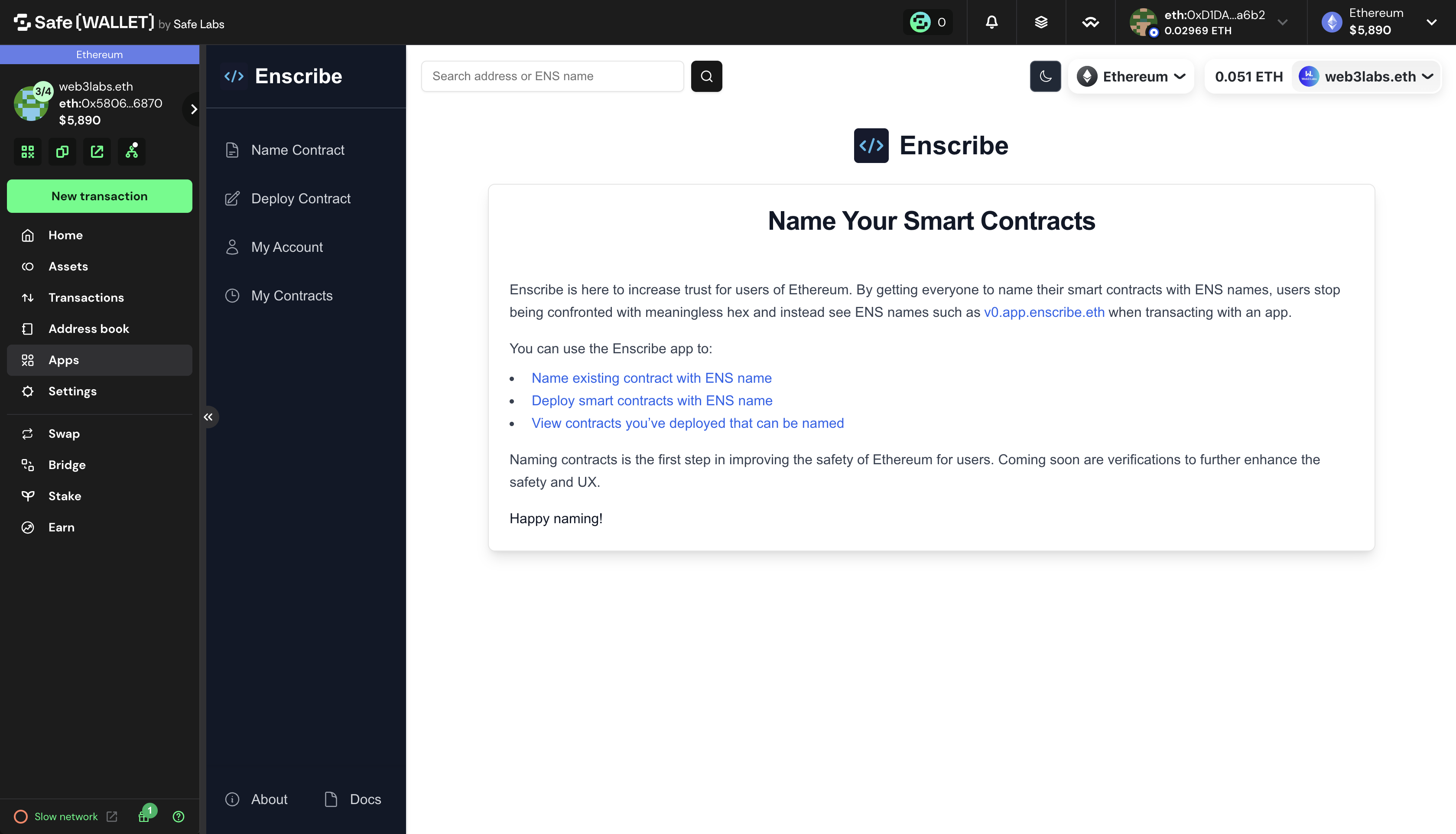
Enscribe is now available as a native Safe app. You can add Enscribe directly to your Safe environment and name contracts using your multisig wallet without leaving the Safe interface.
This update makes it easier for teams and DAOs to manage contract naming through their existing Safe workflows.
Why This Matters
If you manage contracts through a Safe multisig, you can now:
- Name contracts directly from the Safe interface
- Deploy new contracts with ENS names set using your Safe wallet
- Queue naming transactions for other signers to review
- Execute contract naming once your signing threshold is met
- Keep all contract management in one place
Previously, connecting Enscribe to Safe required WalletConnect, which added friction to the process. With native Safe SDK integration, Enscribe works as a custom Safe app. Add it once, and it's available whenever you need it.
When you use Enscribe inside Safe, the contract naming process creates multiple transactions. These transactions are visible for you to review before signing, added to your Safe's transaction queue, shareable with other signers in your Safe, and executable by any signer once the signing threshold is reached. This workflow matches how Safe handles all multisig operations, making contract naming part of your standard governance process.
Adding Enscribe to Your Safe
Here's how to add Enscribe as a custom app to your Safe:
Quick Add via Link
Use this link to add Enscribe directly to your Safe.
If the link doesn't work, follow the manual steps below.
Manual Installation
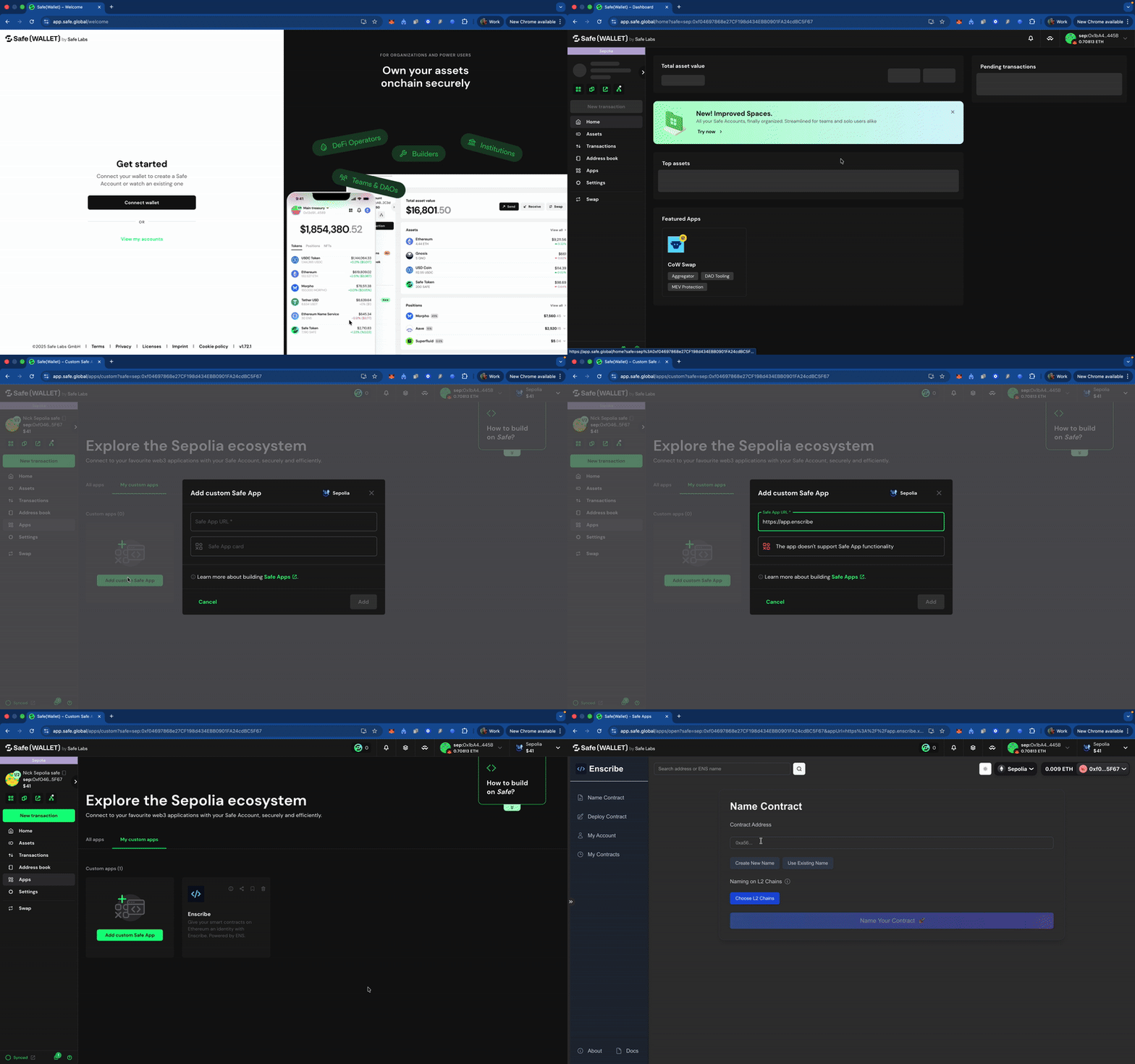
Step 1: Open Your Safe
Navigate to app.safe.global and select the Safe you want to use.
Step 2: Access the Apps Menu
Click on "Apps" in the left sidebar of your Safe interface.
Step 3: Add Custom App
- Click "Add custom app" in the top right
- Enter the Enscribe app URL:
https://app.enscribe.xyz - Confirm the app details
- Click "Add"
Enscribe will now appear in your Safe's app list.
Step 4: Open Enscribe
Click on Enscribe from your apps list to launch it within Safe.
Naming a Contract from Safe
Once Enscribe is added to your Safe, you can name contracts using the same interface you're familiar with:
Step 1: Connect to Enscribe
Open the Enscribe app from your Safe. The app will detect your Safe wallet automatically and connect.
Step 2: Choose Your Chain
Select the network where your contract is deployed. Enscribe supports Ethereum Mainnet, Base, Linea, Optimism, Arbitrum, Scroll, and their testnets.
Step 3: Enter Contract Details
Provide the contract address and choose the ENS name you want to assign. Enscribe will guide you through the naming process.
Step 4: Review Transactions
Enscribe will show you the transactions needed to complete the naming process. This typically includes:
- Creating ENS subname
- Setting forward resolution for your contract
- Setting the primary name
Step 5: Sign and Queue
When you sign these transactions in Safe:
- They're added to your Safe's transaction queue
- Other signers can review them
- Transactions show up in the "Queue" tab of your Safe
- You can share the queue with your team
Step 6: Execute After Threshold
Once enough signers approve the transactions (based on your Safe's signing threshold), any signer can execute them. The contract naming completes when all transactions are confirmed onchain.
Managing Multiple Contracts
If you're naming multiple contracts, you can queue all the transactions before executing any of them. This gives your team time to review everything together.
Each contract naming operation creates its own set of transactions in the queue. Signers can approve them individually or in batches, depending on your workflow.
Once all the transactions are approved or signed by the required number of signers, you can execute them all at once in a batched transaction, this will save you gas and time.
Feedback and Community
Enscribe makes smart contracts easier to identify by giving them human-readable names. With native Safe support, teams can now manage contract naming through their existing multisig workflows.
If you have feedback or feature requests for the Safe app experience, reach out through our socials - X, Discord and Telegram
Happy naming! 🚀