Onboarding namespaces
Each namespace in Enscribe is backed by a single ENS name. During onboarding, Enscribe imports that name into your organization and sets up how Enscribe will manage it.
Namespace onboarding flow
Enscribe walks you through five steps:
- Select network (testnet for now; mainnet coming soon).
- Import name.
- Choose a manager method.
- Transfer manager access.
- Invite team members (optional).
Start by clicking on Add Namespace in the top right corner of the page.
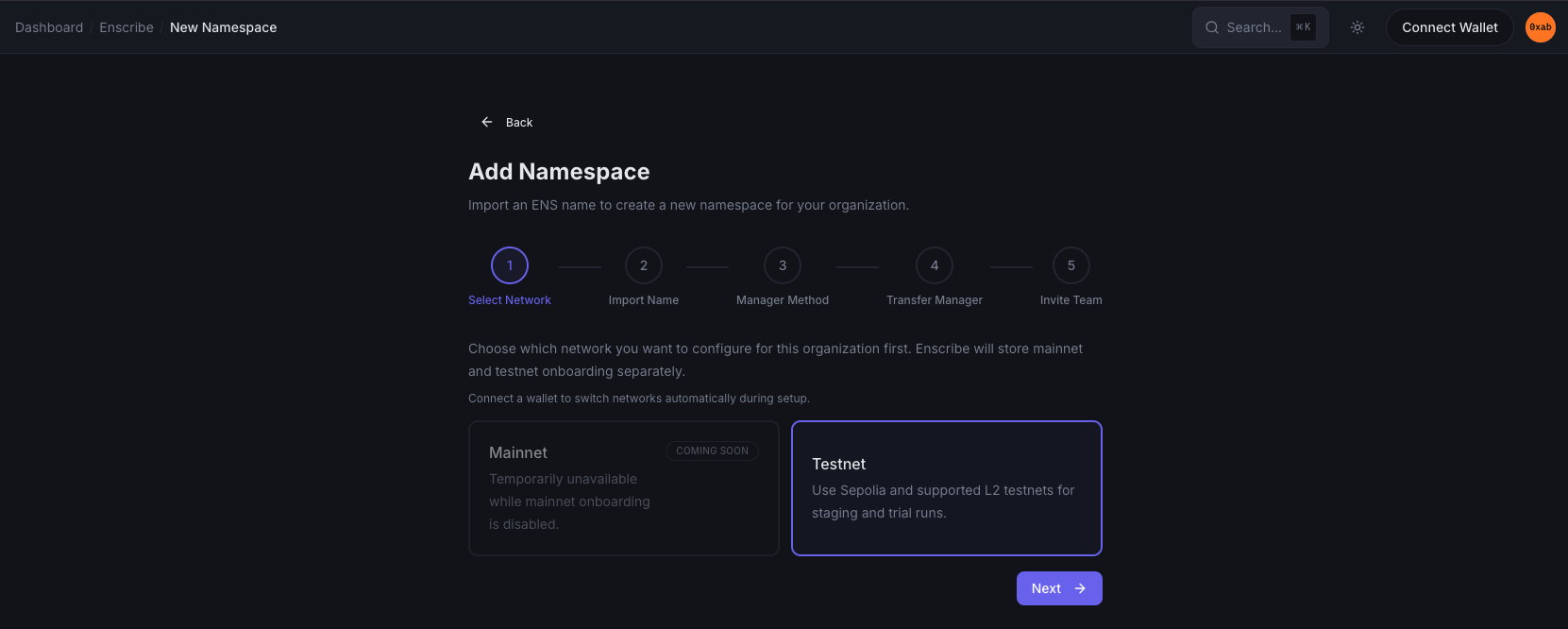
Select network
Enscribe stores mainnet and testnet onboarding separately.
- Testnet is available for setup today.
- Mainnet appears in the selector, but is currently marked unavailable.
Import name
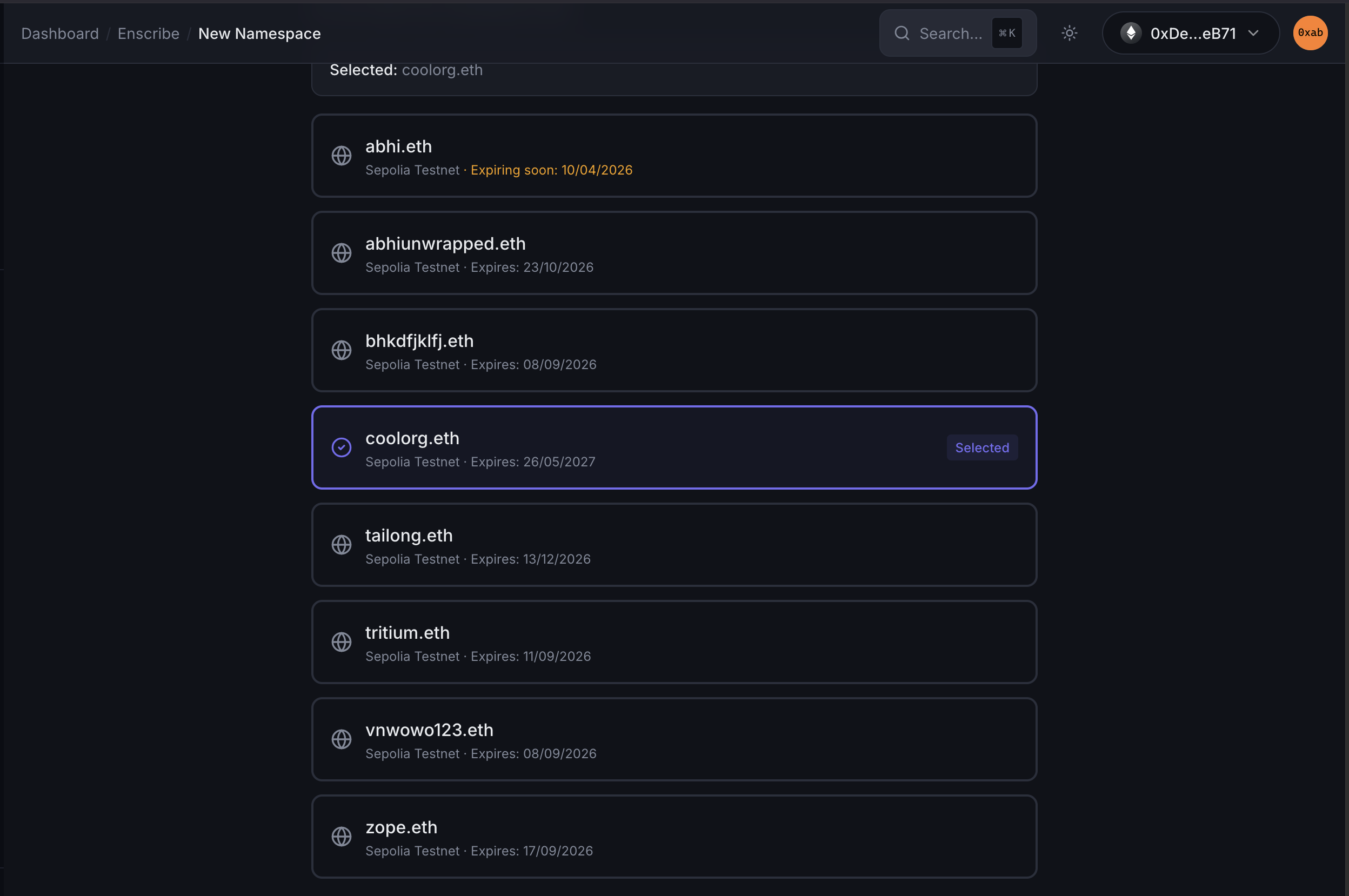
Enscribe reads ENS second-level domains owned by your connected wallet and lets you choose one as the namespace.
- You can only select one ENS name per namespace.
- Names already imported into the same organization are excluded from the picker.
- If you do not see a name yet, you can refresh the list.
Enscribe also includes a DNS import helper for teams bringing a DNS domain into ENS. The UI links out to ENS Manager and explains the DNSSEC and TXT record steps needed before the imported name appears.
Choose a manager method
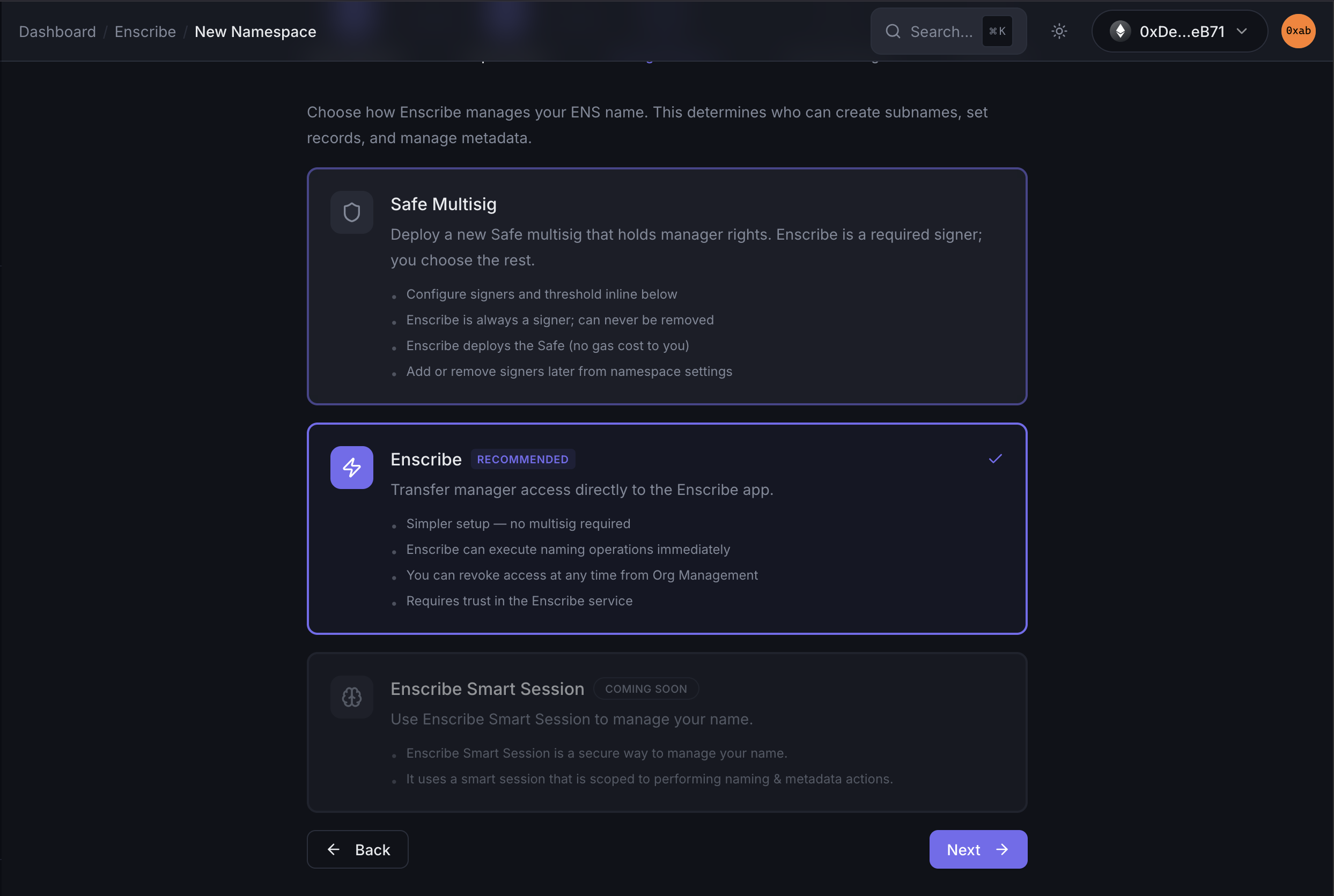
Enscribe currently shows three manager modes:
- Safe: Deploy a new Safe that holds manager rights. Enscribe is one of the required signers.
- Enscribe: Transfer manager access directly to the Enscribe-managed address.
- Smart session: Shown in the UI as coming soon.
Use Safe Multisig when your team wants multisig approvals around naming and record updates. Use Enscribe when you want the shortest setup path.
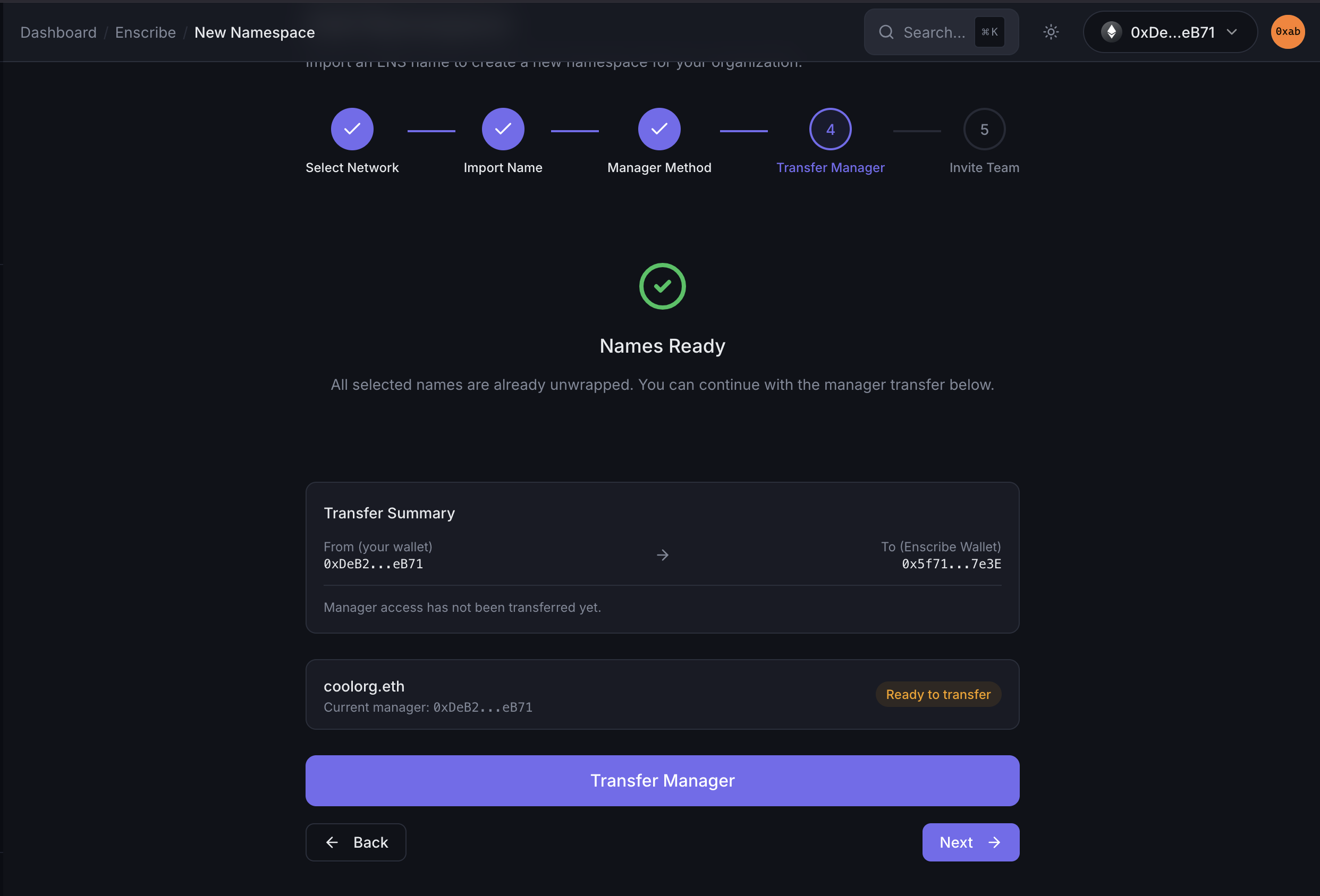
Transfer manager access
After you choose a manager mode, Enscribe asks the connected wallet to hand control of the ENS name to the selected target.
Depending on the name state, Enscribe may:
- check the current ENS manager,
- ask you to unwrap a wrapped name first, or
- submit an ENS
setOwnertransaction.
If you are onboarding through a Safe flow, Enscribe waits for the Safe transaction to execute before continuing.
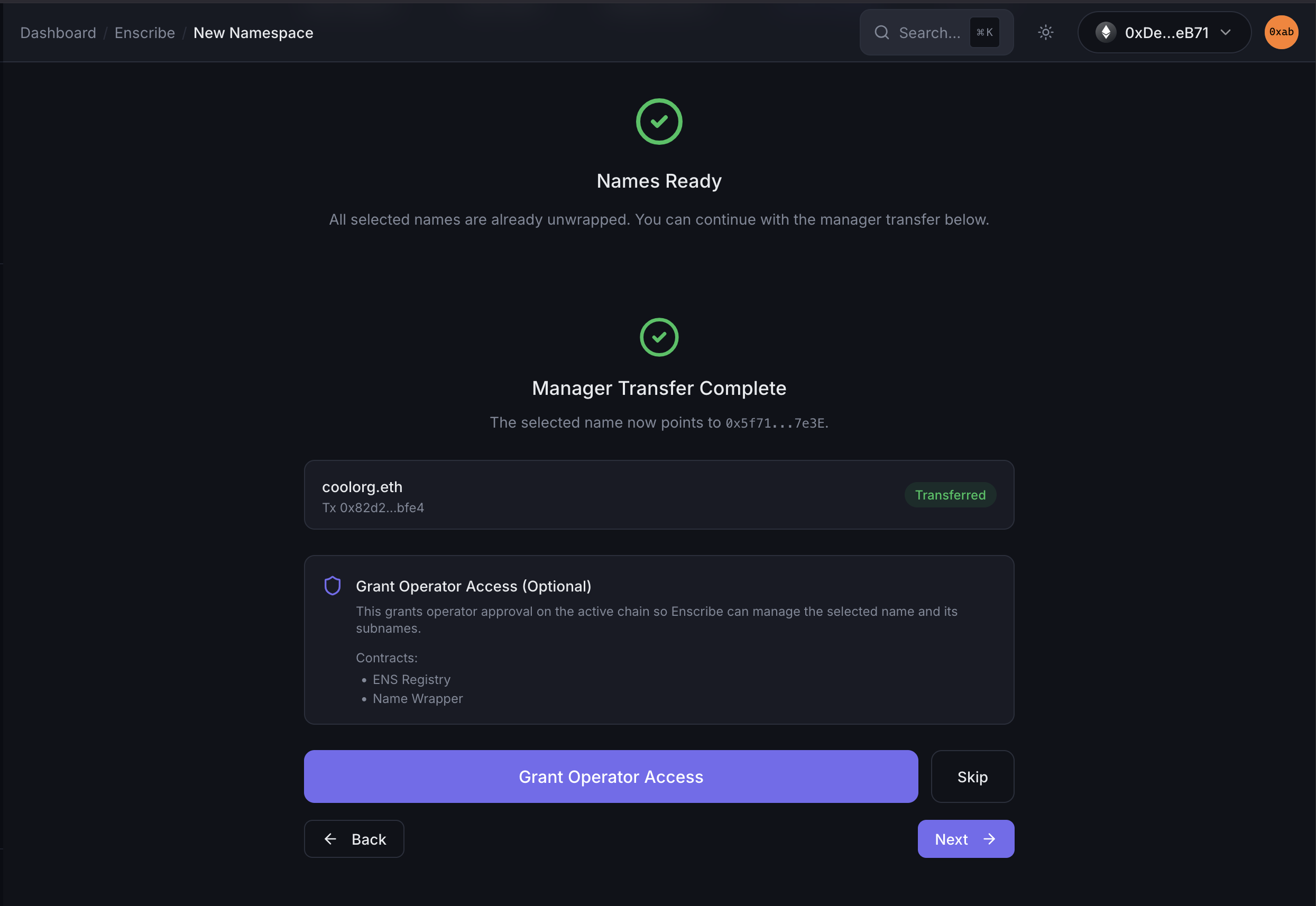
- After completing the transfer, you will see a success message:
Invite teammates
The last step lets you invite members by email. This step is optional. You can skip it and invite people later from Organization management.
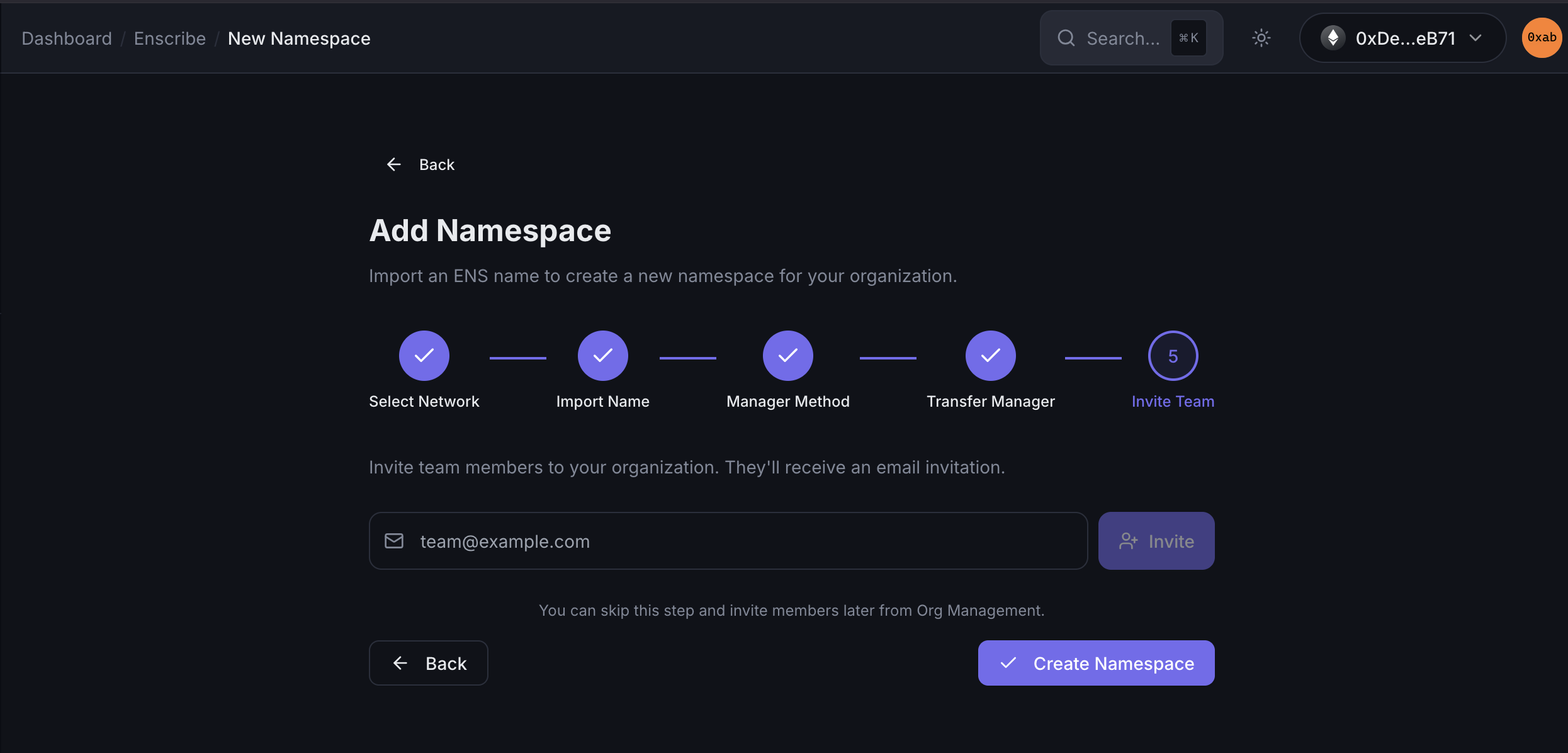
Click on Create Namespace to complete the onboarding.
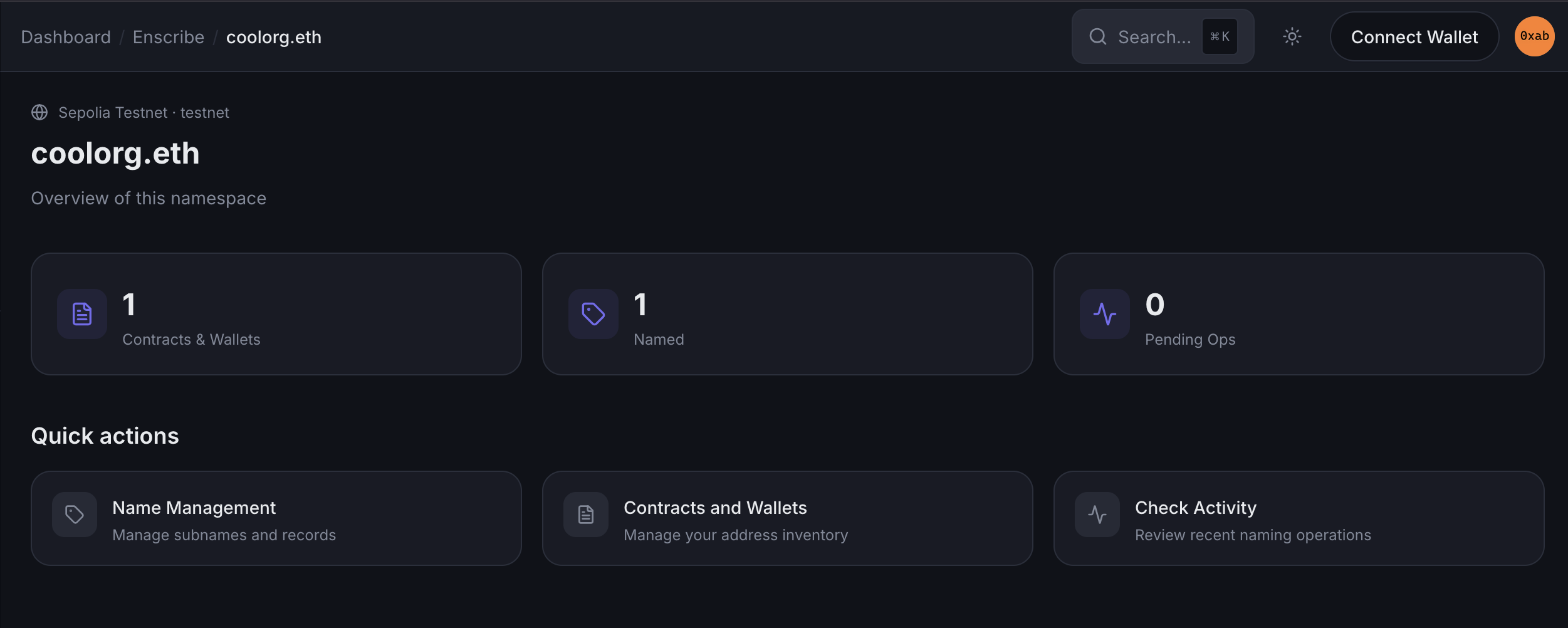
Once the onboarding is complete, you will be redirected to the namespace page:
You can now start managing the namespace by creating subnames, updating records, and inviting team members.