Managing names
The Name Management view is where Enscribe turns a namespace into an editable ENS tree. From here, your team can create subnames, delete subnames, and update ENS records.
What you can manage
Inside a namespace, Enscribe supports:
- creating subnames under the namespace,
- deleting existing subnames,
- editing text records,
- editing address records for different coin types, and
- updating the content hash.
How editing works
Enscribe stages changes before sending them onchain.
The workflow is:
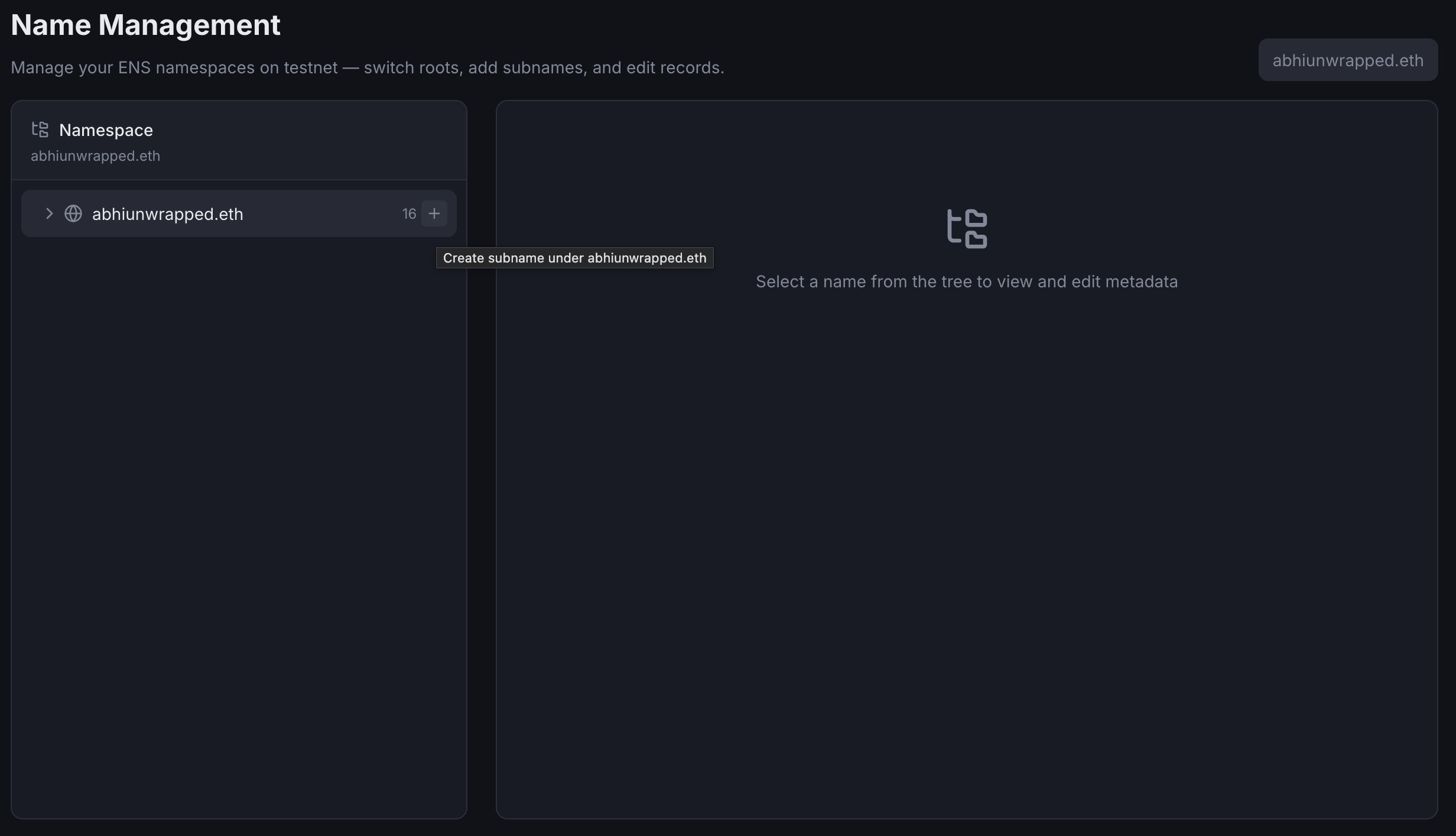
- Hover mouse over a name in the namespace tree and click on the + button
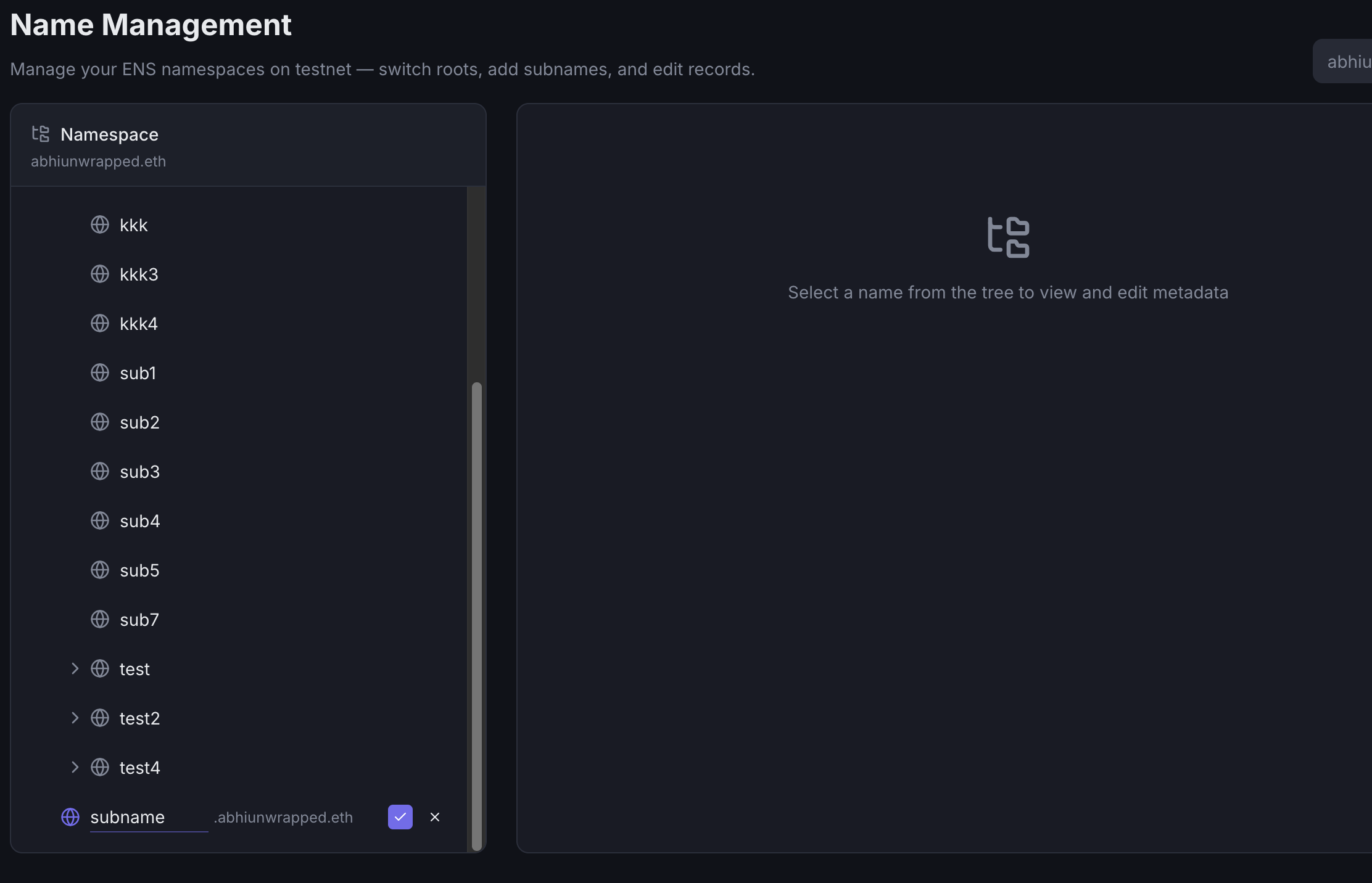
- Enter the subname and click on the check button
- Added name will now be staged.
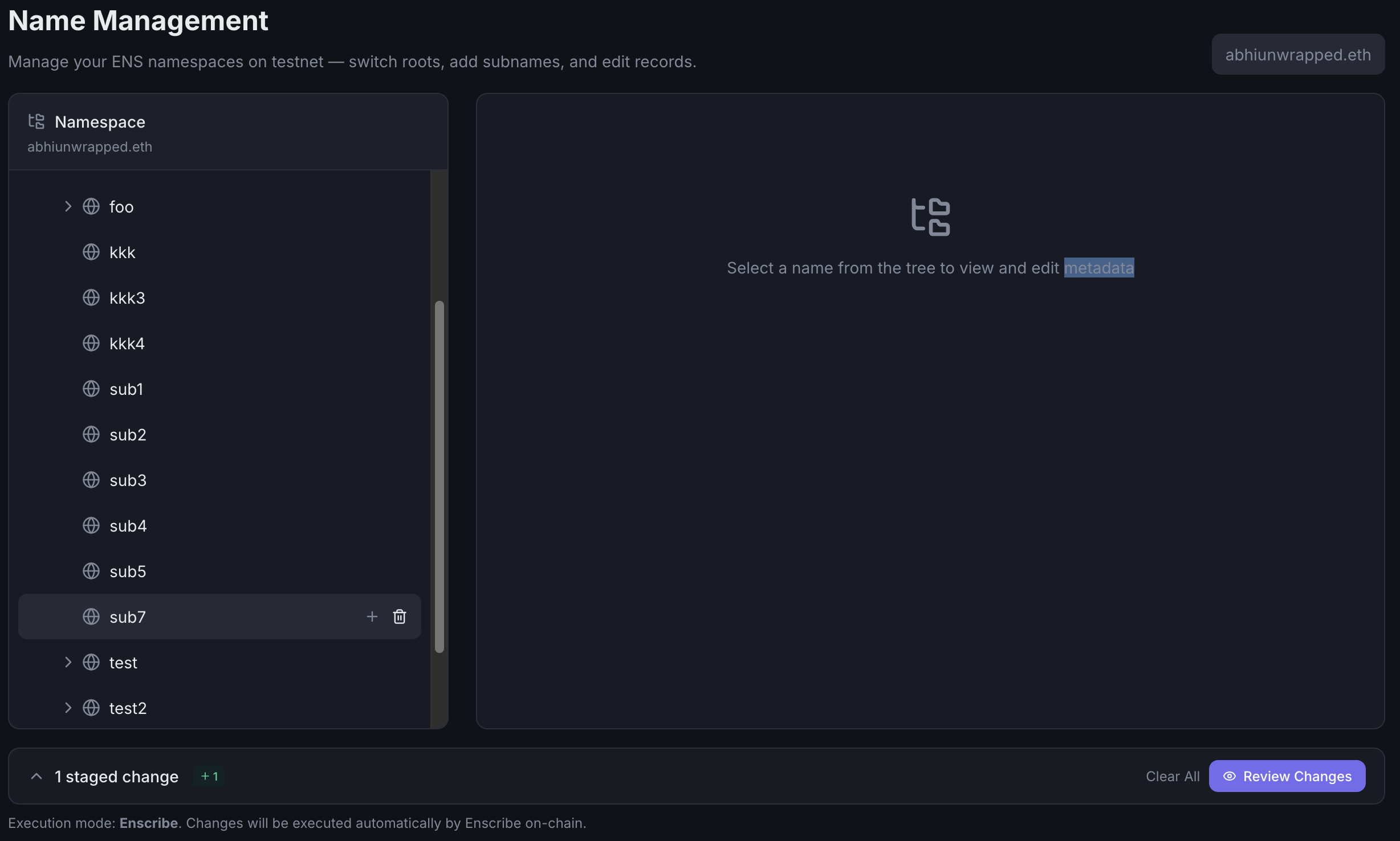
- Click on the Review Changes button to review the changes in the staging panel
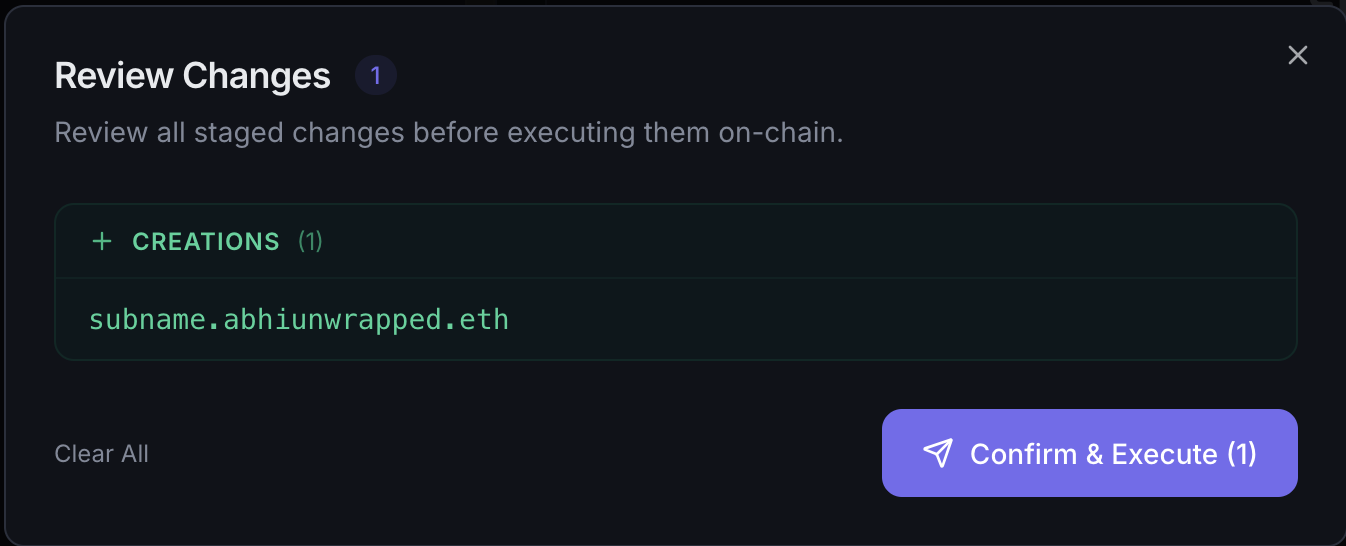 This review step is useful when you are batching several record edits into one pass.
 - Click on the Confirm & Execute button to submit the transaction
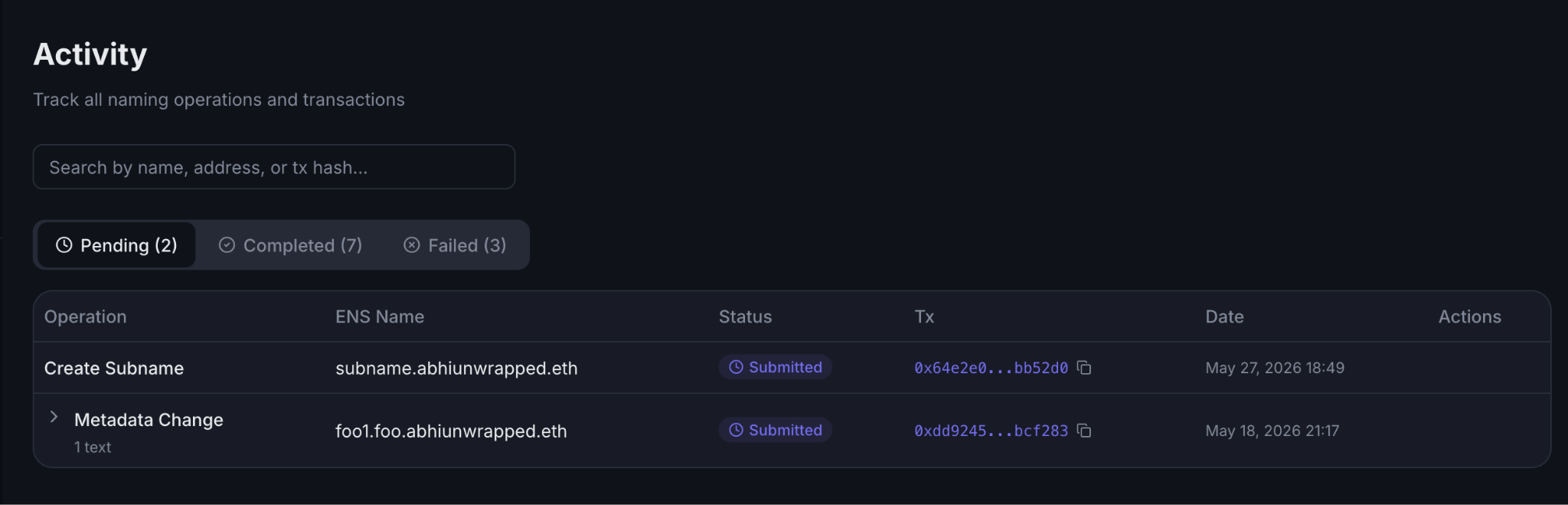
- You will be automatically redirected to the Activity page
Important behavior to know
- Enscribe only allows edits within the current namespace.
- Read-only organization roles can view this page, but they cannot submit write actions.
- If a name is wrapped and cannot be unwrapped because of fuse settings, Enscribe blocks the write path and explains why.
Related settings
If you need to inspect manager mode, copy the namespace namehash, review Safe signer setup, or create namespace-scoped API keys, open Namespace Settings from the same workspace.